One system for every department,
no more spreadsheets.
Education ERP is school and college management software that keeps every department on the same student record, from the first admissions enquiry to the year-end report card. Your reports agree with each other, and parents get one app that is always up to date.
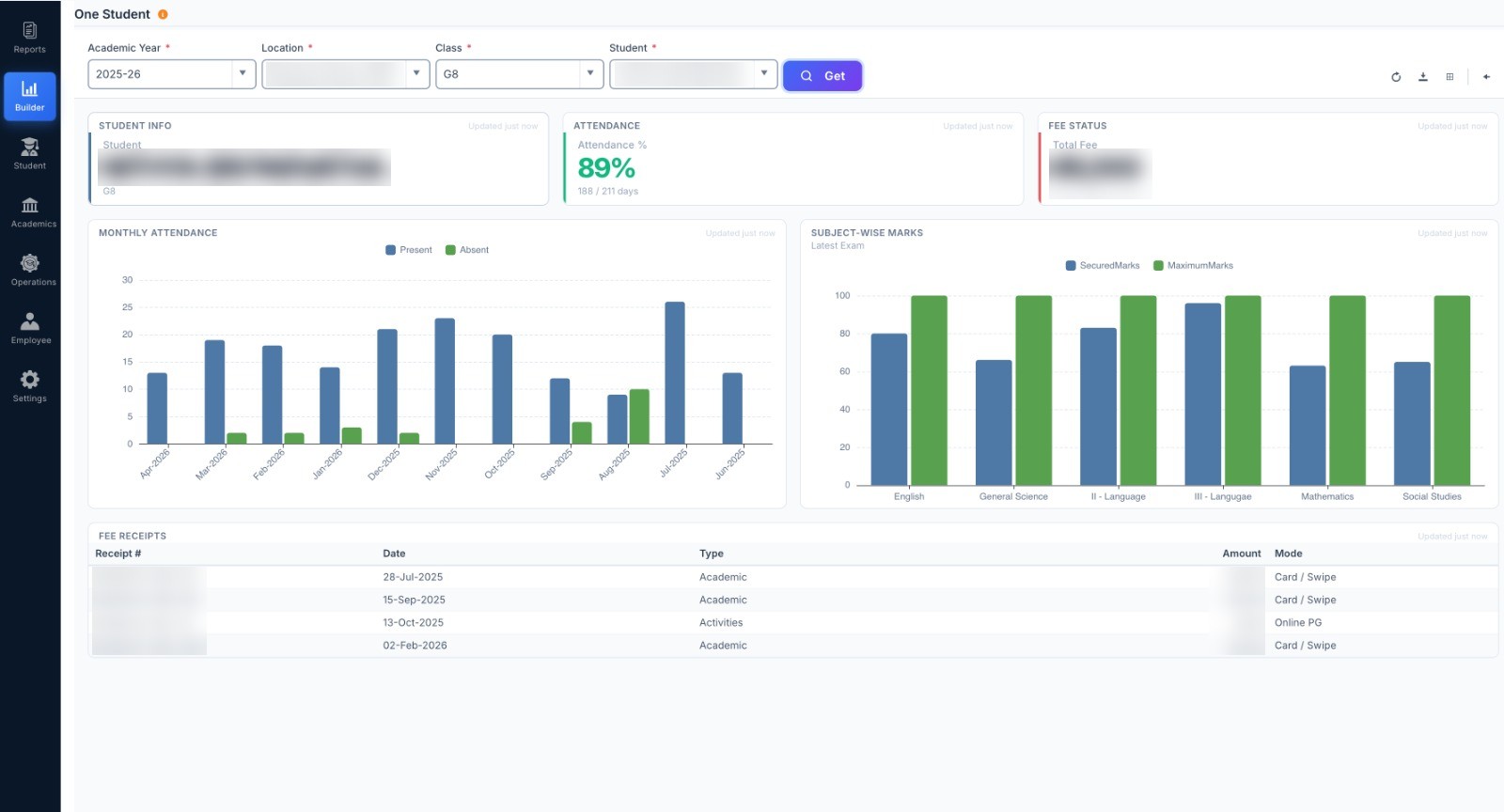
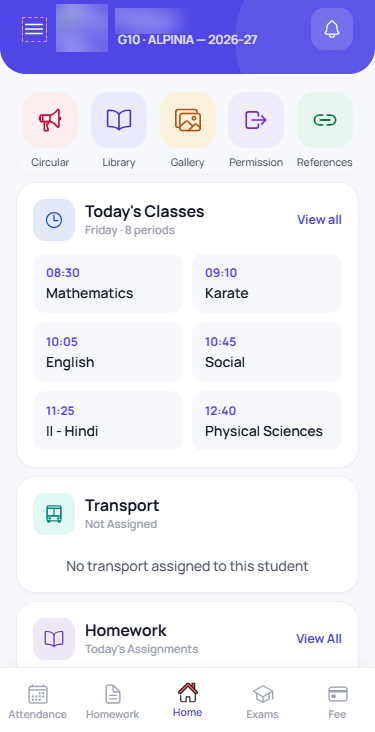
When admissions, fees, exams and HR sit in different places, your reports never match.
Many schools run six or seven separate tools: a fees portal, an attendance app, mark sheets in Excel and WhatsApp groups for parents. Matching them up at term end takes days.
Education ERP follows one rule: everything about a student is kept in one place. Admit a student once and they appear in attendance, exams, fees, transport, hostel, the parent app and reports.
Five separate tools, or one system.
A typical school does these five jobs in five different tools. Education ERP brings them together, so every department works from the same records.
Online forms, an Excel tracker and follow-ups by hand on WhatsApp.
Bank challans, handwritten receipts and month-end matching in the accounts package.
Paper registers, biometric printouts and attendance forwarded on WhatsApp.
Excel mark sheets combined at term end and report cards typed in Word.
Class WhatsApp groups, SMS and email circulars, with no record of what was sent.
Digiclove ERP
One system. One set of records. Every department.
- Admit a student once. They appear in attendance, fees, exams, transport, hostel and the parent app.
- Term-end reports agree, because every department used the same records.
- Parents see fees, attendance, marks, circulars and transport in one app.
- No copying between tools and no month-end catch-up.
- One bill, one rollout, one team to train.
Seven areas, each covering a full part of school work.
Each area below has its own section in Education ERP, built around the screens your staff use every day. Open any card to see what it covers.
From enquiry to enrolment
Enquiries, follow-ups, entrance tests, admission, offer letters and transfers, tracked from first call to enrolment.
→ 02 — AcademicsTime-table, homework, lessons
Timetables, syllabus progress, homework and correction, gallery, circulars, reference material and the daily log.
→ 03 — ExaminationsSetup → marks → progress
Exam setup, quick tests, mark entry and NEP-style progress cards. Works with SkoraAI.
→ 04 — AttendanceStudent & staff, daily & monthly
Daily and monthly attendance for students and staff, biometric devices, access cards, bus boarding and gate passes.
→ 05 — Fees & FinanceCollect, reconcile, report
Tuition, book and transport fees, online and UPI payments, daily collection, dues follow-up, concessions and accounts.
→ 06 — Parent & CommunicationOne channel, every parent
App notifications, SMS, WhatsApp, circulars, absence alerts and a log of parent conversations, all kept with the student's record.
→ 07 — Mobile AppsStudent · Parent · Teacher
iPhone and Android apps. One for students and parents, one for teachers to take attendance, enter marks and set homework.
→ + Add-on — SkoraAIAI marking of answer sheets
SkoraAI marks scanned answer sheets against your answer key. Teachers approve every mark, and chapter-wise results appear in Examinations.
→ + Add-on — TeachSmartAITeaching material from your textbooks
Lesson plans, worksheets, slide decks, visual aids and Textbook Chat, all based on your own textbooks and material.
→Three things every area uses.
These are not sold separately. They run through every area and make day-to-day work simpler.
Every report, one search away.
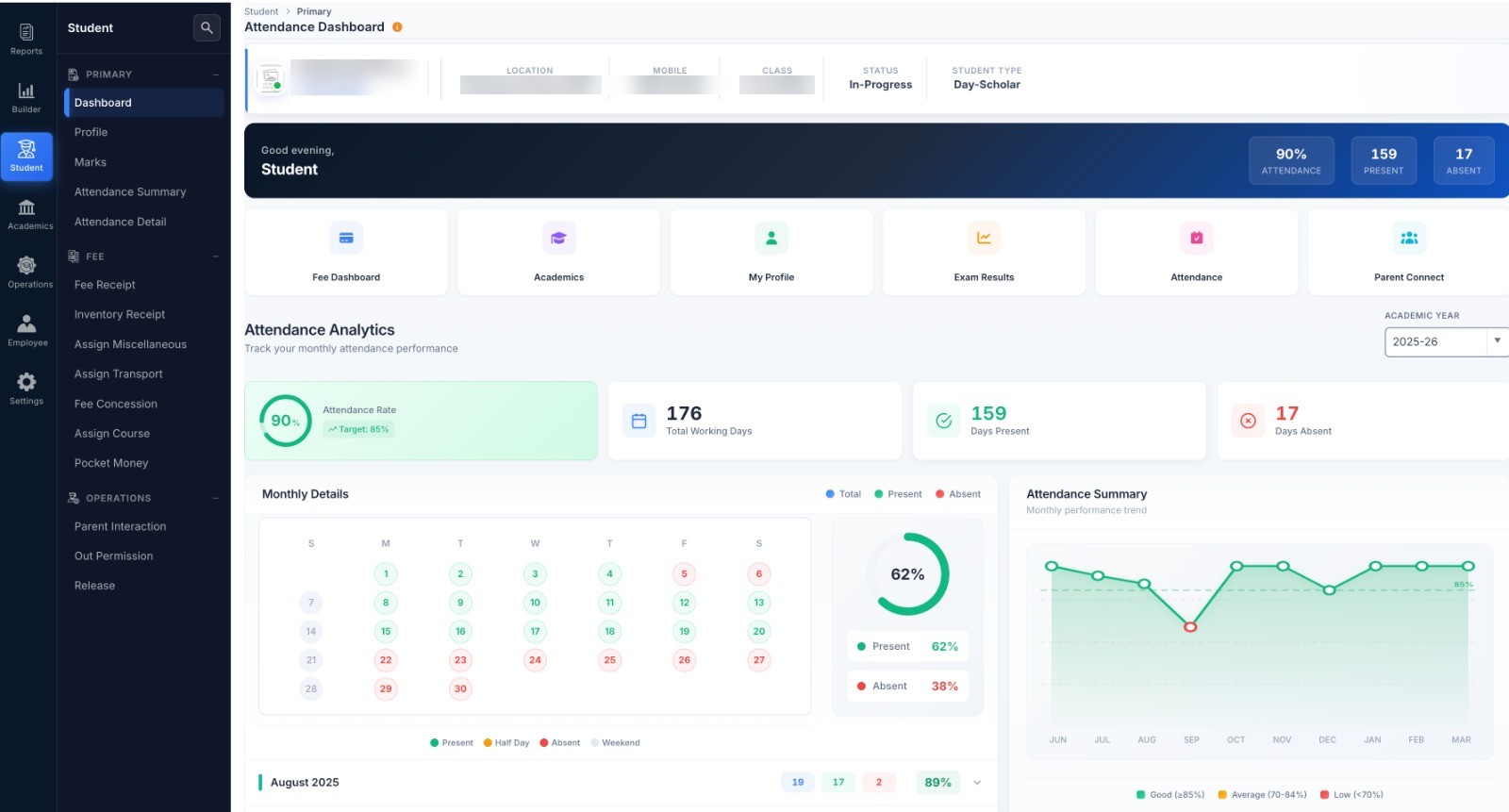
All reports and dashboards in one place, grouped by area. Type "defaulters" or "late coming" to find a report and open it. Save to PDF or print. Admins can also build their own dashboards with AI help.
Available in: every area, for the branches each user looks after
Approvals set up to match your school.
Fee concessions, leave, claims, advances and purchases go to the right person in each branch. Every decision and approver is recorded.
Available in: fees, HR, claims, advances, purchase
Many campuses, each kept separate.
Each institution's data is kept separate, with common settings shared across campuses. Trust boards see combined reports for all branches. Principals see only their own branches.
Available in: multi-campus & multi-entity setups
Each person opens on the numbers they act on.
Each role gets its own home dashboard, built from the same student records. Nobody needs Excel to see what needs attention today.
A daily brief, not a report pack
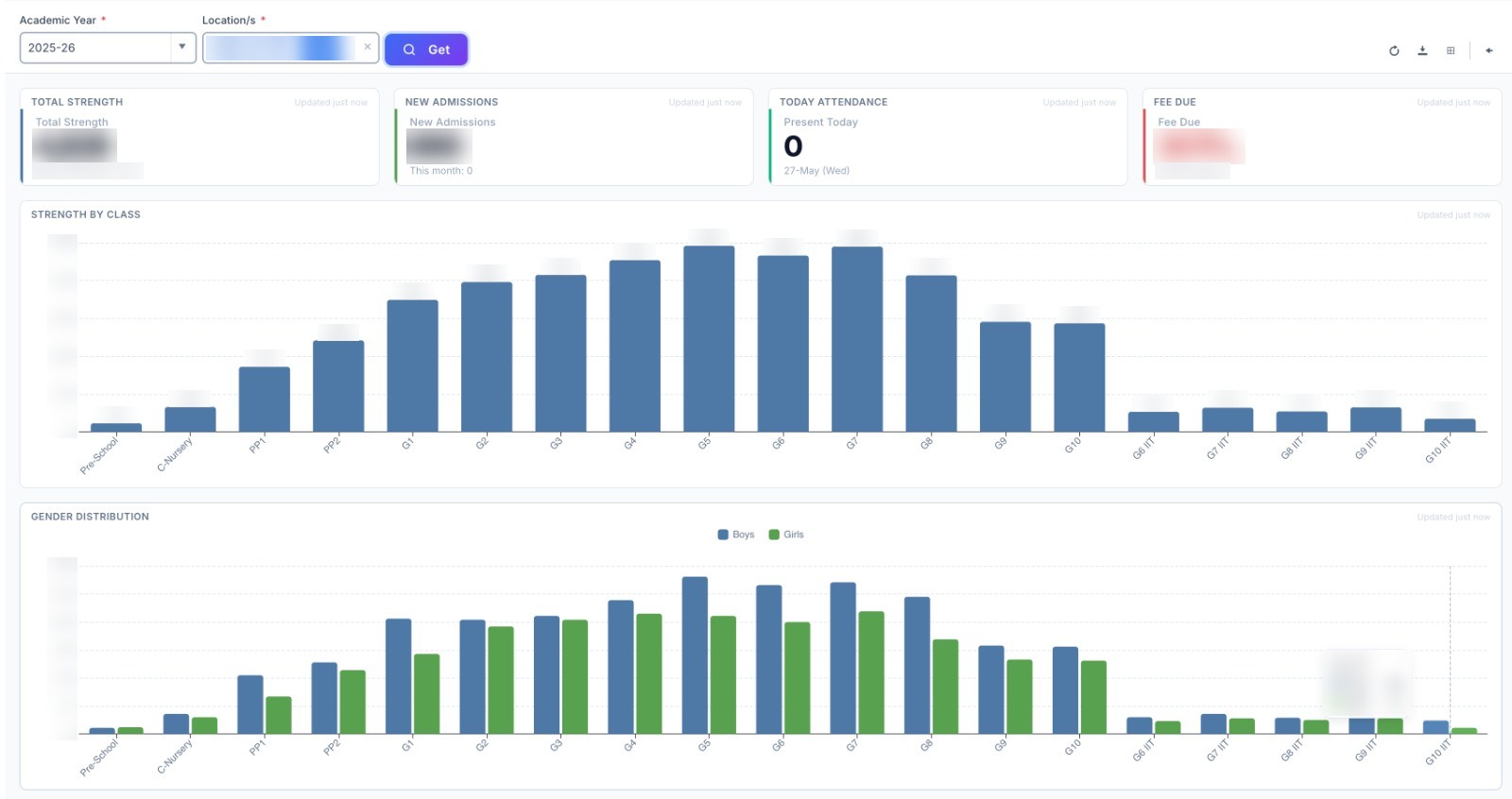
Today's attendance, fee collection, admissions against last year, pending approvals and items to act on, for one branch or the whole trust.
My classes, my gaps
Class attendance, syllabus and homework progress, exam results and weak chapters for the sections you teach.
Accounts, admissions, exams, transport, store
Overdue fees and follow-ups, admissions progress, marks entry status, bus routes and stock levels, each on its own home page.
Screens designed for the person using them.
Each role sees what it needs. The principal and the transport staff see different home screens, and neither has to learn the other's job.
Run the institution from a dashboard
Daily attendance, fee collection, exam progress and staff leave at a glance. Open any figure for detail.
Less paperwork, more teaching
Take attendance on your phone, set homework, share material and see who needs help.
One app for everything school
Fees, attendance, results, circulars, bus tracking and leave requests, without calling the office.
Reconcile in minutes, not days
Online fee receipts, daily posting to accounts, bank matching and overdue fees, all linked to each student.
Set up from settings
Custom fields, user permissions, fee structures and exam patterns are all set from the settings screens. No programmer needed.
Their own space
Timetable, homework, results, online tests, study material and circulars, all on their phone.
Spreadsheets, separate tools, or one system.
Most schools are not replacing one ERP with another. They are moving away from a mix of spreadsheets and separate tools. Here is a fair comparison.
| Capability | Spreadsheets & WhatsApp | Separate tools (fees, attendance, learning) | Digiclove ERP |
|---|---|---|---|
| One set of records | No, copies drift apart | Partly, with mismatches | Yes |
| Parent & student apps | WhatsApp group | Separate logins | Yes, iPhone & Android |
| AI marking and results analysis | No | No (or paid extra) | SkoraAI add-on |
| NEP-aligned report cards | Manual | Generic templates | Holistic areas + your board's format |
| Online fee payment options | Single bank | One gateway | Razorpay · PayU · Paytm · CCAvenue · UPI QR |
| Accounting | Manual journal | Spreadsheet download | Built-in accounts, fee receipts posted daily |
| Onboarding & data migration | — | Self-service | Done by us · 2–4 weeks |
| Total cost | Hidden in staff time | Multiple subscriptions | One bill you can plan for |
Works with what you already use.
Online payments, UPI, biometric devices, bus GPS and messaging, all linked to the same student records.
Payment gateways
Attendance & transport devices
Communication
What changes after switching.
Questions schools ask before switching.
What is Education ERP?
Who is Education ERP for?
Does Education ERP work with our board?
How do admins stay in control of who sees what?
Can we export our data?
How do we get started with Education ERP?
How do we get help after we go live?
Move your school to one system this term.
We move your data from your current system for free. Most schools are live in 2–4 weeks.