Attendance that reaches payroll without a spreadsheet in between.
Attendance & Shifts records each employee’s working day and sends it straight to payroll. Daily and monthly attendance, overtime, shift planning, attendance corrections, holidays and events all go into the same record that payroll uses.
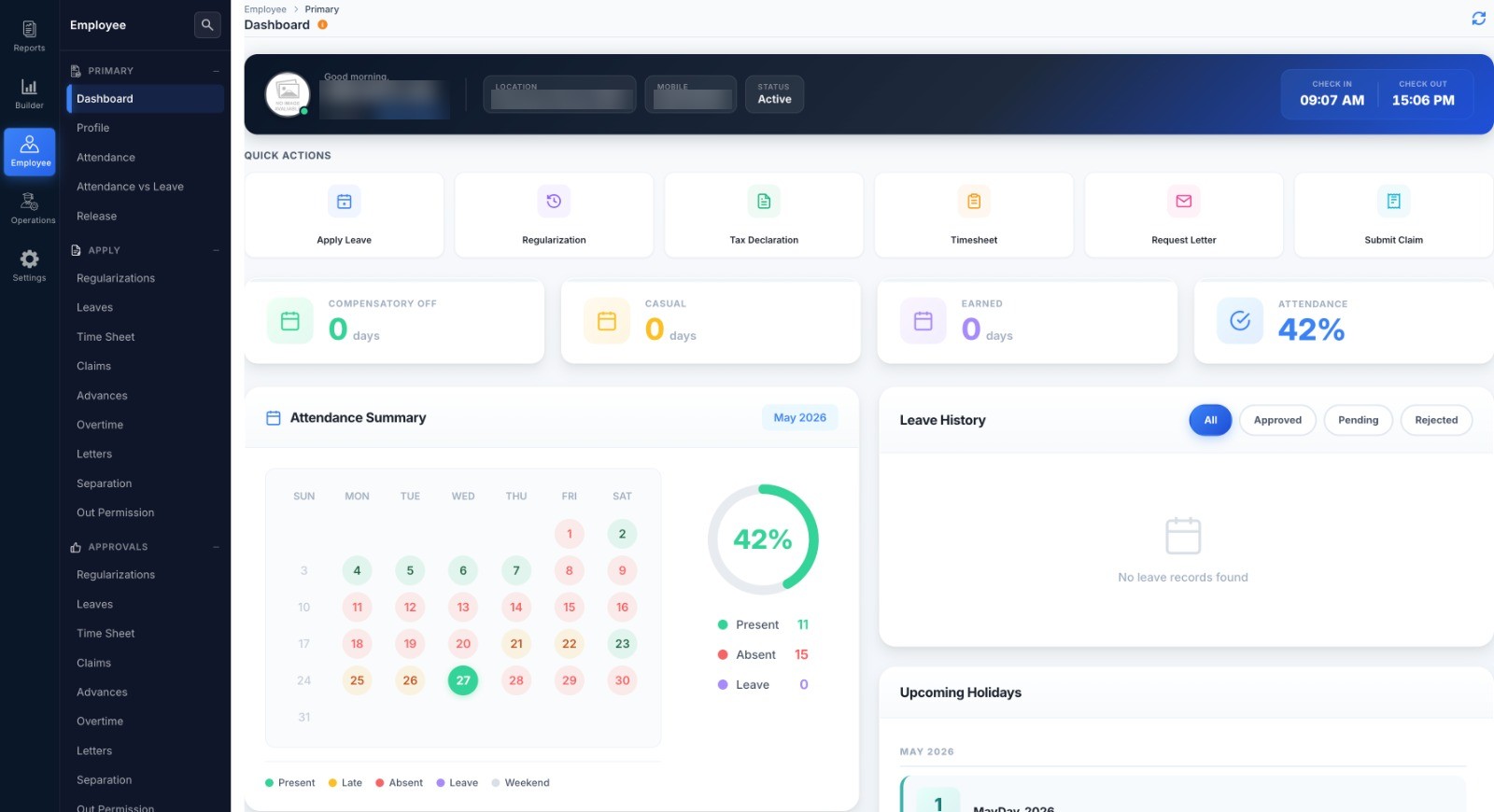
Attendance corrections that don’t wait on HR.
Forgot to punch in, stuck in traffic or working at a client site? Employees request a correction on the web or the app. The approver signs off, the attendance updates, and payroll carries on.
- Request a correction for the day’s punches, with a reason
- Up to three levels of approval, set for each employee
- Timesheets and overtime requests work the same way
- Short permissions for work outside the office, kept apart from leave
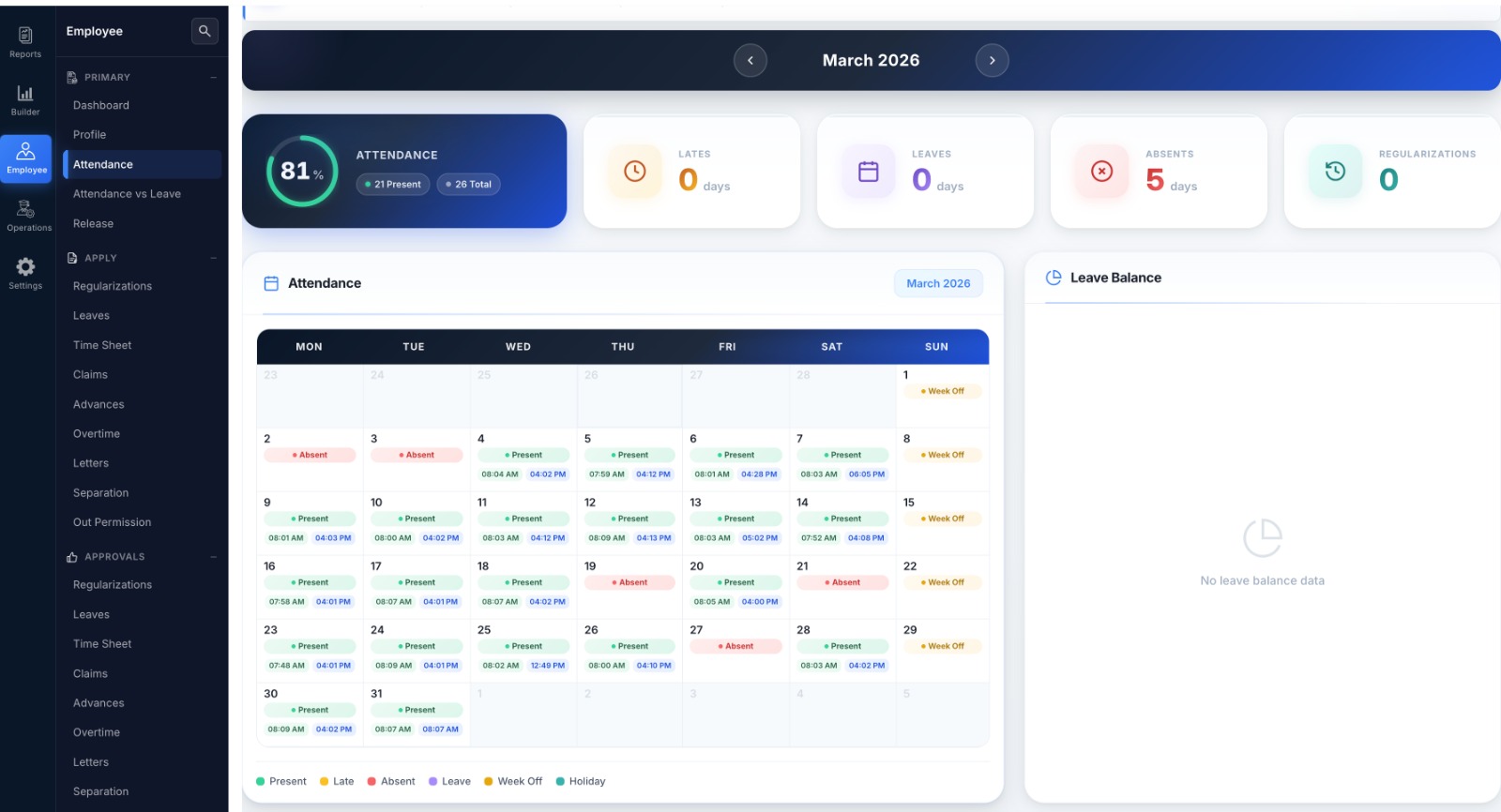
Every punch in one attendance record.
Staff keep using your biometric devices, and their punches come into Digiclove automatically. Staff on the move check in with a selfie on the app. HR can mark or correct a day by hand. Everything lands in the same monthly view that payroll uses.
- Daily attendance: by location and shift, with late arrivals and early exits marked
- Monthly attendance: a calendar for each employee showing weekends, holidays and leave
- Overtime: late stays, holiday and week-off work, with rates by employee level, approval and payment through payroll
- Shift planning: assign shifts by employee and date; week-offs and comp-off follow the shift
- Holidays and events: holiday calendars for each location, plus company events
- Reports: attendance register, late-coming patterns, overtime above limits and timesheet use
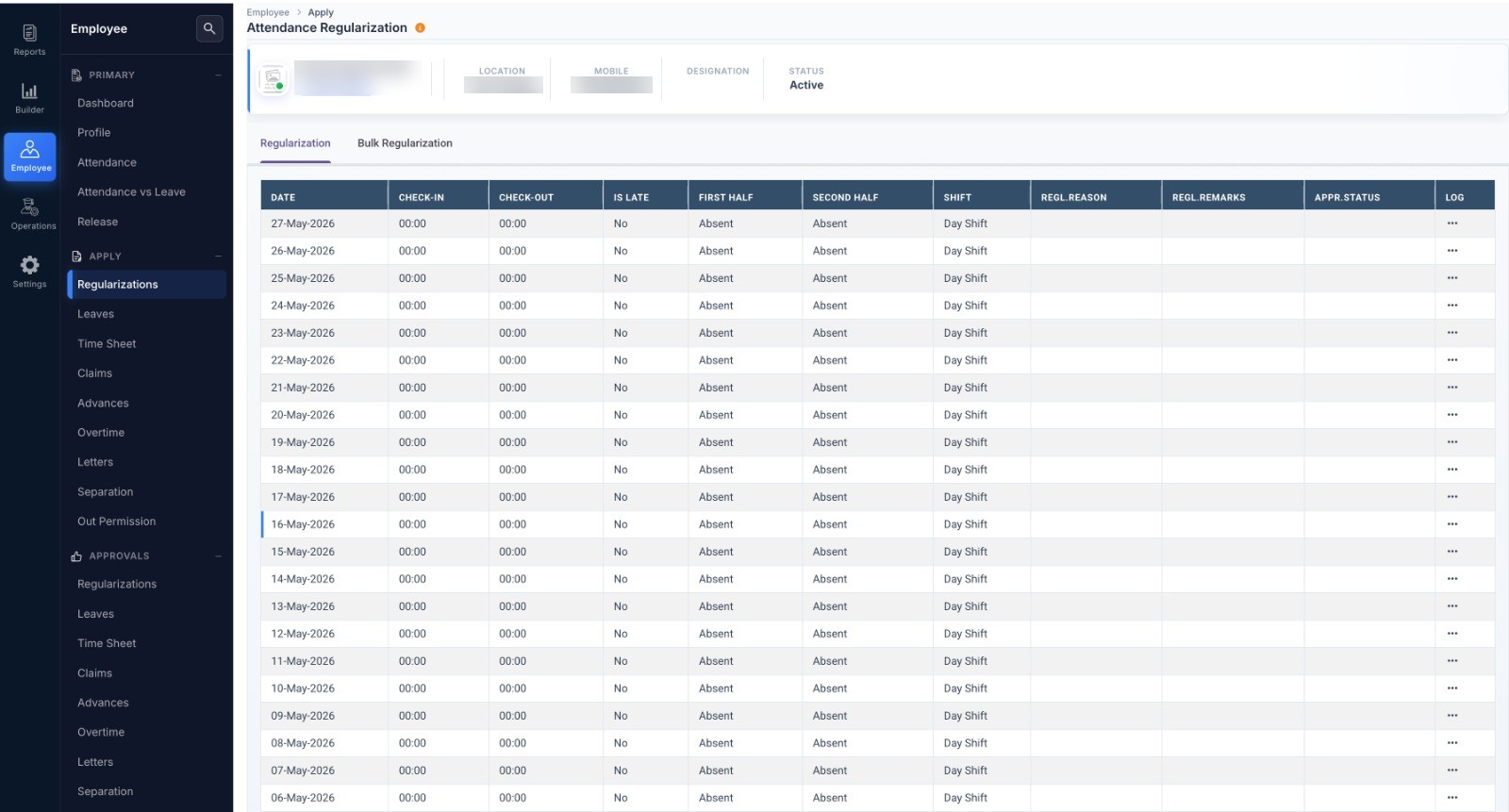
Attendance questions.
Can we keep our existing biometric devices?
How do staff who work away from the office mark attendance?
Keep your biometric devices. Drop the spreadsheet.
Punches from your biometric system come into Digiclove on a regular schedule. We set this up free during onboarding.