SkoraAI marks. Teachers stay in control.
Teacher Review is where teachers check and approve SkoraAI’s marks. Flagged answers come first, teachers approve sheets one at a time or several together, and every teacher decision is recorded alongside SkoraAI’s original mark.
Five steps from first marking to a teacher-approved score.
SkoraAI marks, flags anything uncertain, and the teacher decides. Every decision is kept on record.
First marking
Every answer is checked against the points in your key. Choices and part marks apply the same way across the class.
Flag
Uncertain marks, hard-to-read handwriting, or an answer that does not fit the key are marked “Needs Review”. Clean sheets move on.
Teacher decides
The teacher checks the flagged answer, accepts the mark or changes it in one tap, and adds a short reason.
Final score
The marks for each question are finalised and added to the student's report. No question goes above its maximum.
Full record
The original mark, every change and every reason are kept, so you can look back at any time.
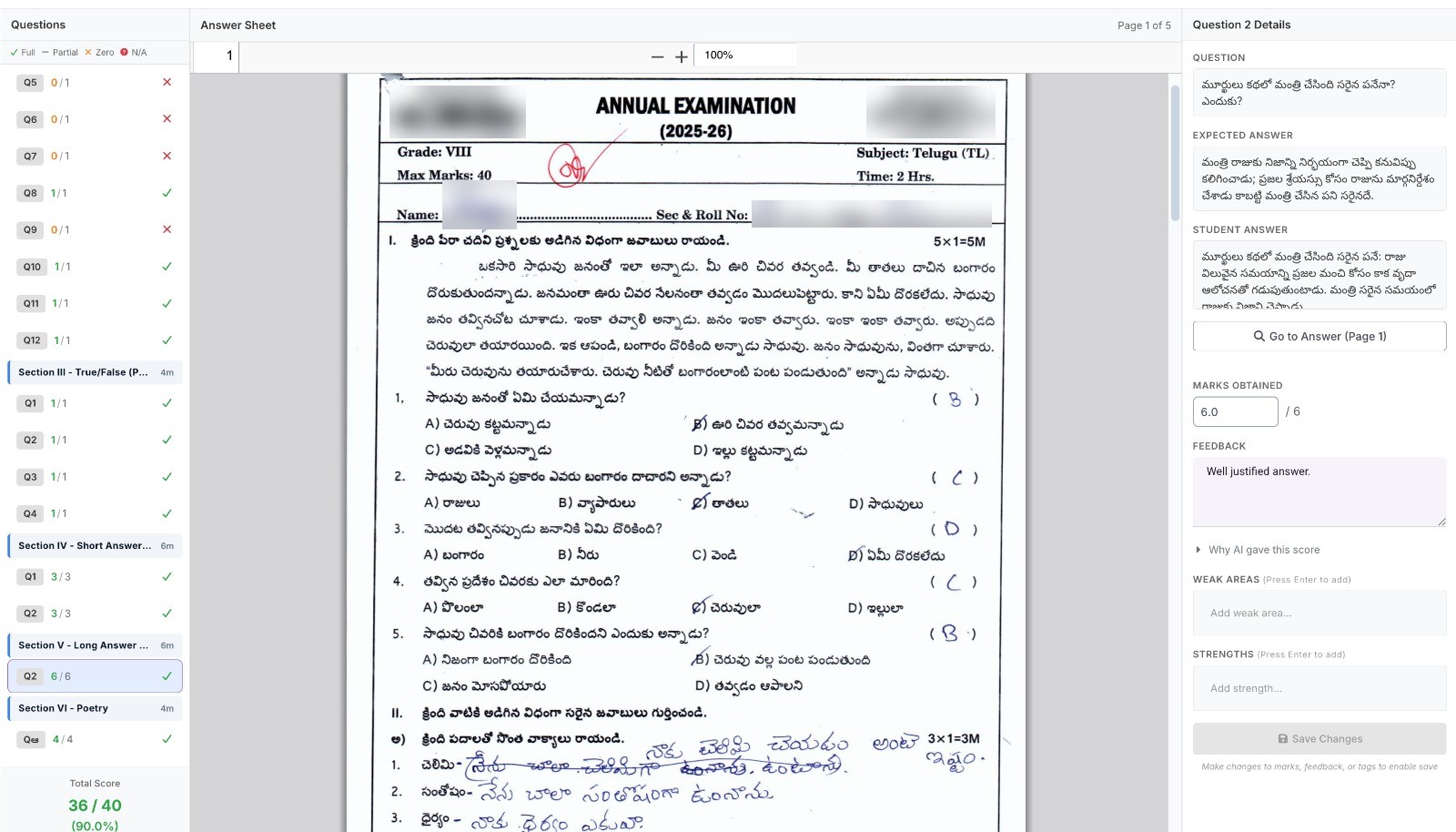
Change any mark. Keep the original.
When a teacher changes a mark, SkoraAI keeps the original. Later, you can see where SkoraAI and your teachers disagreed and whether that is improving over time.
- Change any question’s mark in one click, with a reason
- SkoraAI’s original mark is kept the first time a mark is changed
- A record for every sheet: who changed what, when and why
- Check the flagged answers first, then approve sheets one at a time or several together
Every student, every subject, one screen.
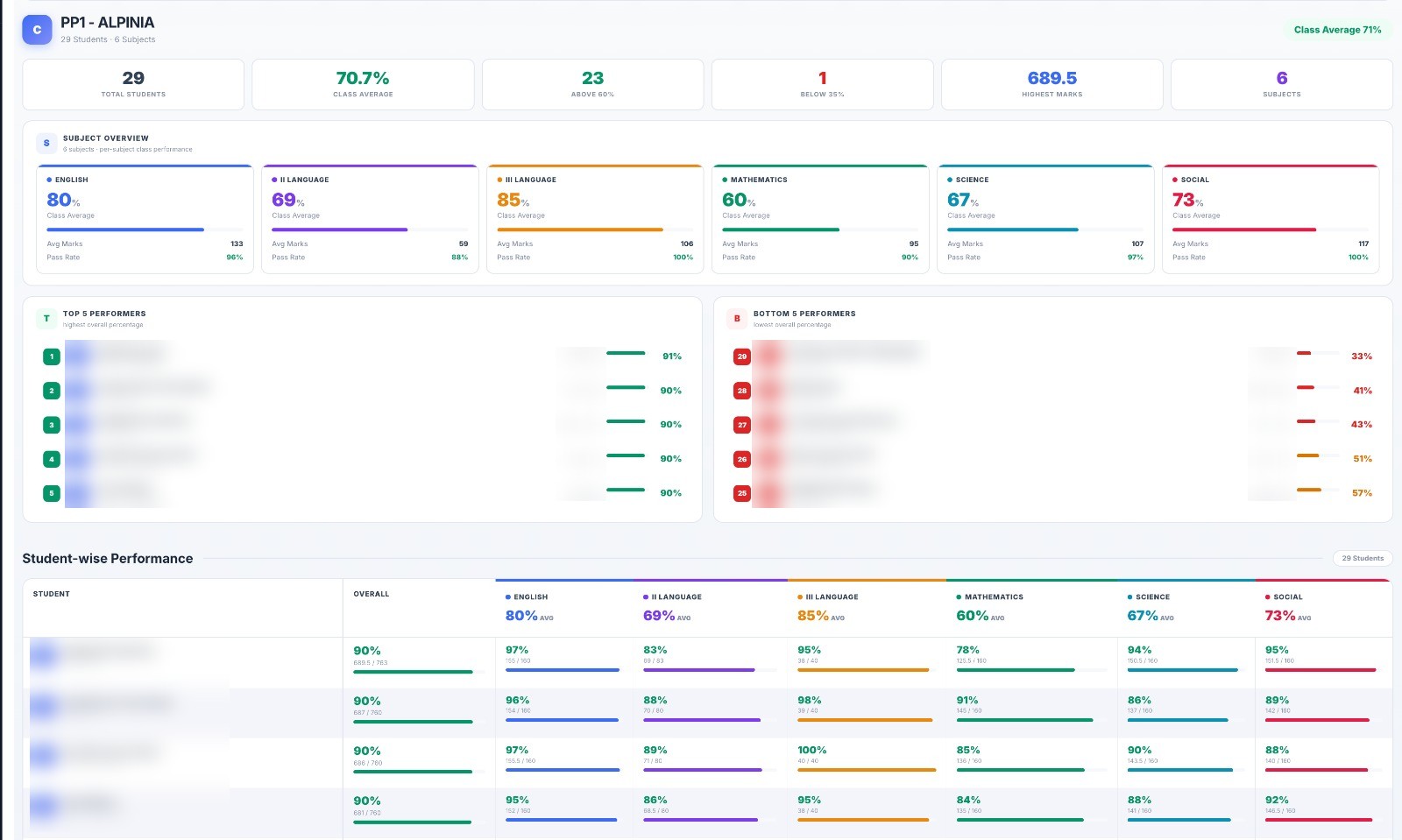
The class report shows teachers how the whole class did at a glance. Students are ranked by overall percentage, with subject averages and the top and bottom performers.
- Key figures: total students, class average, above 60%, below 35%, highest marks, number of subjects
- Each subject’s class average, pass rate and teacher name
- Top 5 and Bottom 5 performers ranked by overall percentage
- Every student’s marks by subject, colour-coded. Click a student to see each subject
- Filter by branch, class, section and exam type
Click a subject. See every exam that touched it.
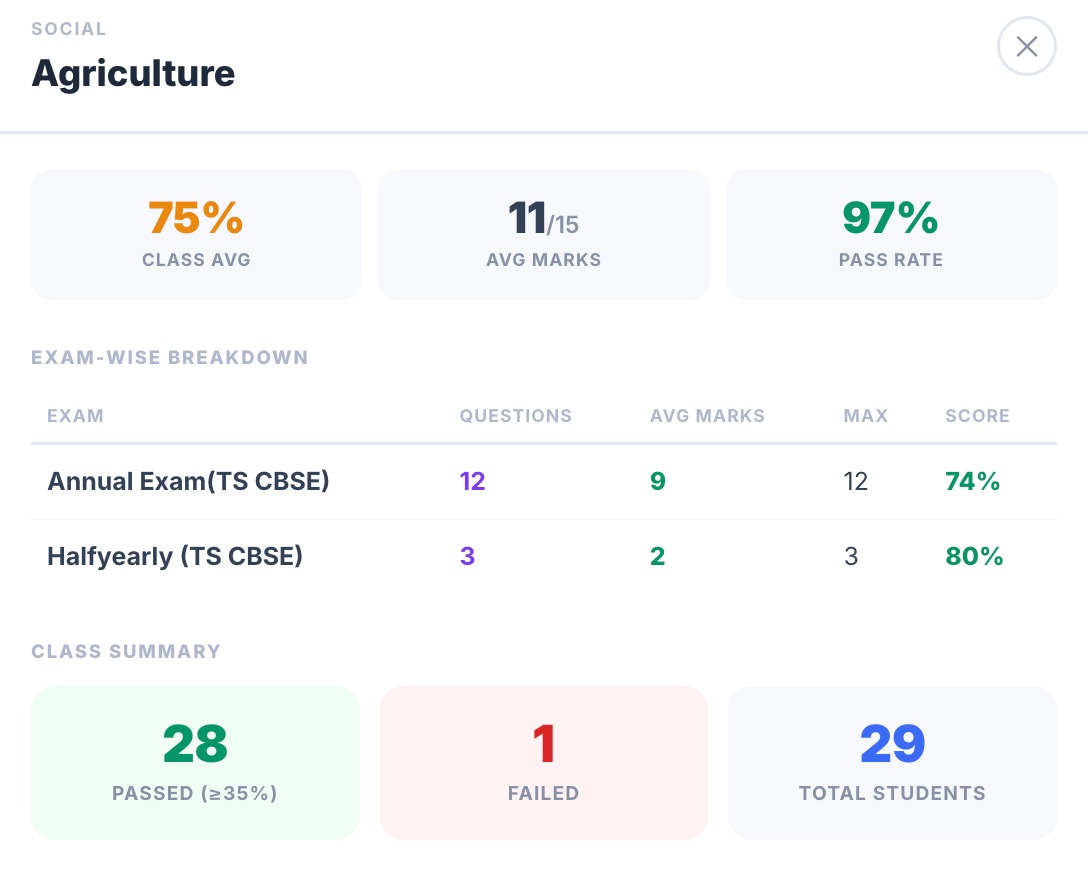
Open any subject from the class report to see the class average, average marks, pass rate, and how the class did in each exam of the term.
- Class average, average marks out of the maximum, and pass rate
- For each exam: number of questions, average marks, maximum marks and score
- Class summary: passed (≥35%), failed, and total students in one view
- Annual, half-yearly and unit tests together in one view
What happens after Teacher Review goes live.
Questions teachers ask first.
Which answers go to a teacher for review?
What is recorded when a teacher changes a mark?
Is there a strictness or leniency setting?
Mark a paper side by side. We will compare.
Pick a paper your teachers have already marked. We will mark it too and show you where SkoraAI agreed, where it did not, and what teachers spent time on.