Home
Products
SkoraAI AI answer-sheet grading
TeachSmartAI Teaching material from your textbooks
Education ERP School & college platform
HRMS & Payroll People · payroll · compliance
Partners Pricing Blog Demo Contact
Talk to sales Book a demo
For Teachers & Schools

Your textbook,
ready to teach.

TeachSmartAI prepares teaching material from your school’s own textbooks. Pick a chapter and get chapter summaries, worksheets, slide decks, question papers, teaching notes and diagrams, made from your own textbook in minutes. Nothing to learn or set up.
From your textbook
aligned to your syllabus
3 languages
English · हिंदी · తెలుగు
Class-ready exports
PowerPoint & PDF
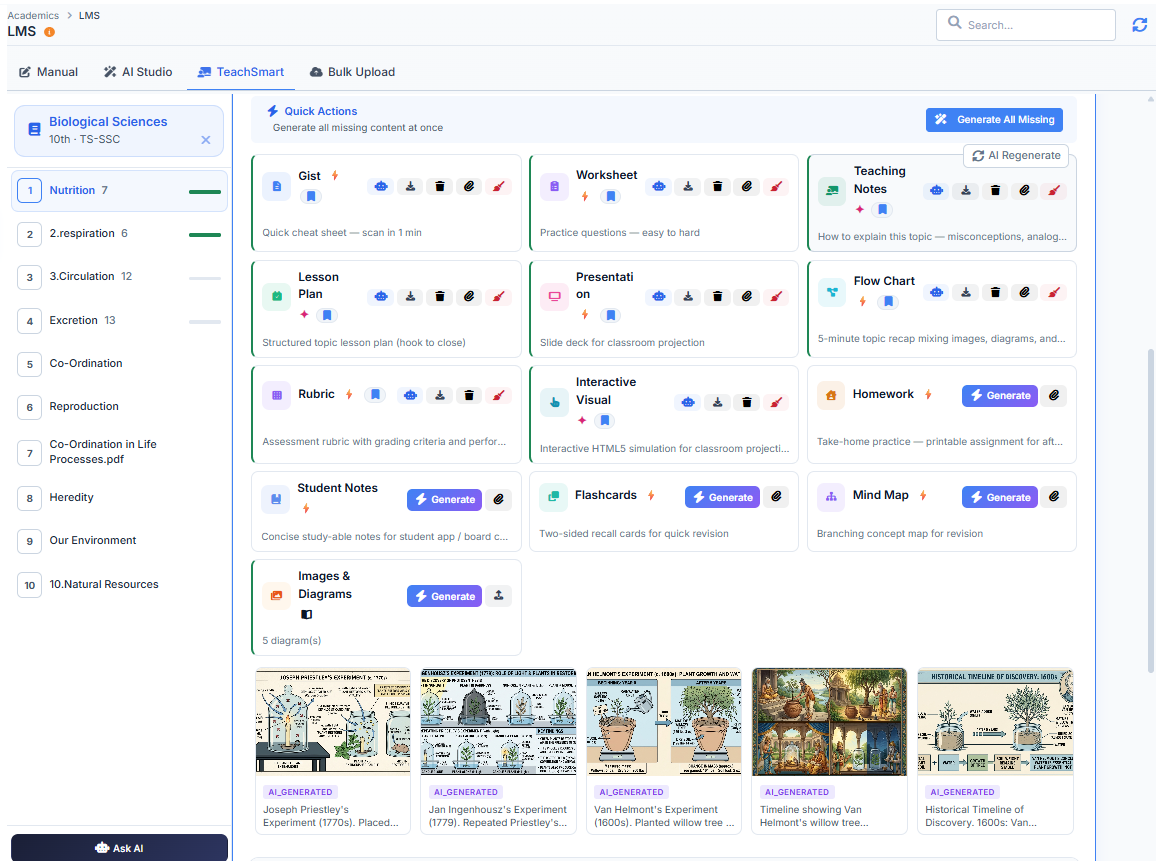
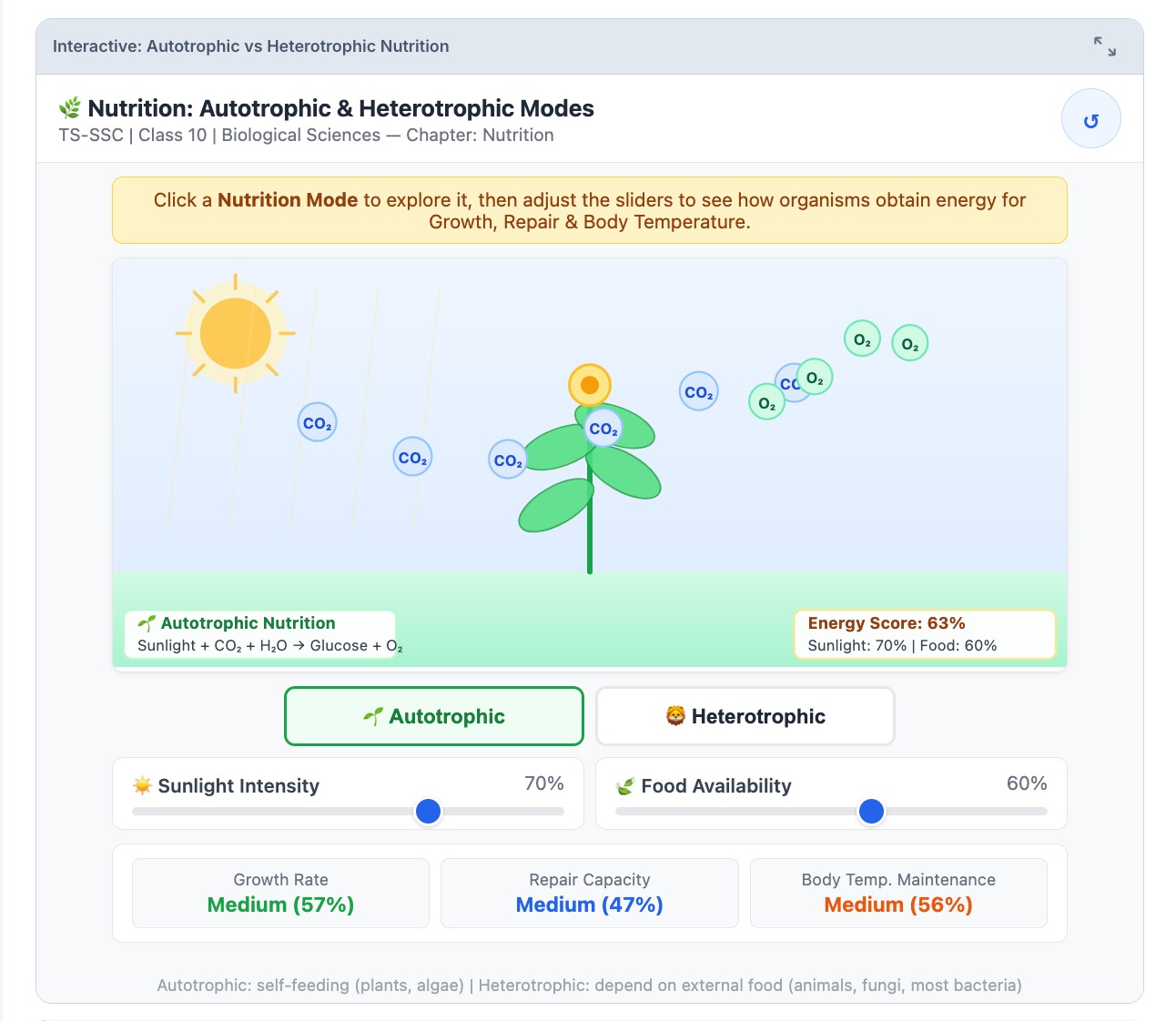
Made from your textbook TeachSmartAI chapter screen with cards for each type of teaching material, and diagrams below
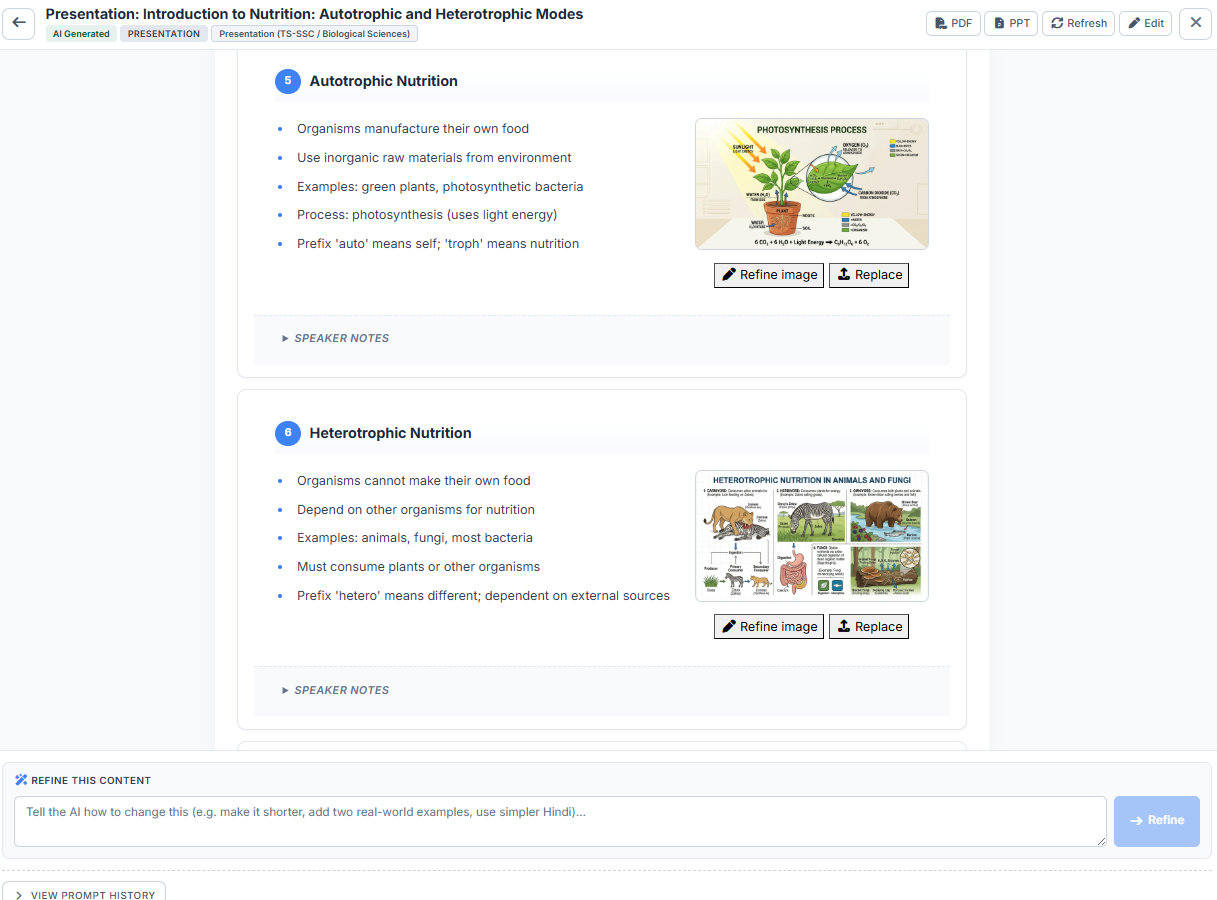
Interactive visual on nutrition in plants, with sliders for sunlight and food + ready-made diagrams

Why teachers lose hours to prep

Prep eats evenings

Slides, worksheets and question papers are still made by hand, chapter after chapter.

General AI tools go off-syllabus

They don’t know your textbook, so what they write rarely matches what is taught.

Quality varies by class

Coverage and standards differ from teacher to teacher and language to language.

One click on a chapter gives you:

From textbook to classroom

No special skills needed. Anyone on staff can do it.
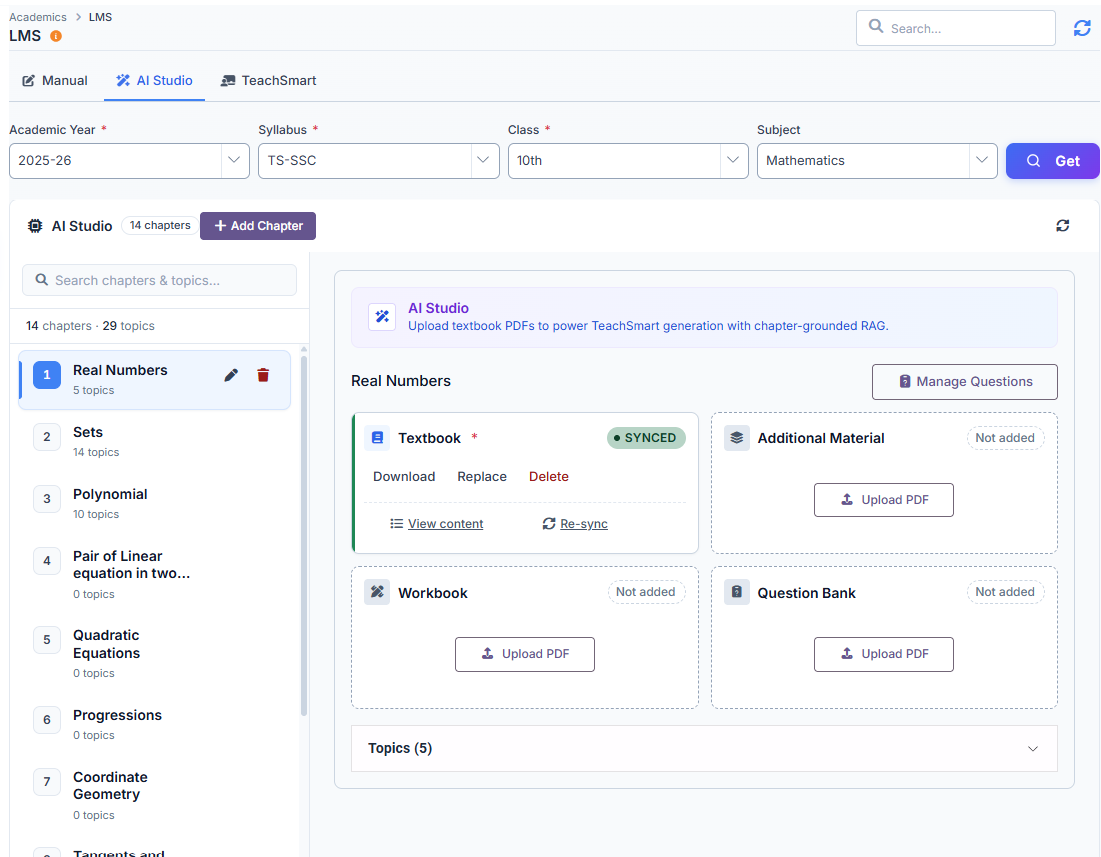
Add your textbook — upload chapter PDF
1
Add your textbook
Upload your chapter PDF once.
Pick what you need — content type picker
2
Pick what you need
Choose any of the 17 ready content types.
TeachSmartAI writes the material from your textbook
3
TeachSmartAI writes it
From your chapter, in your language.
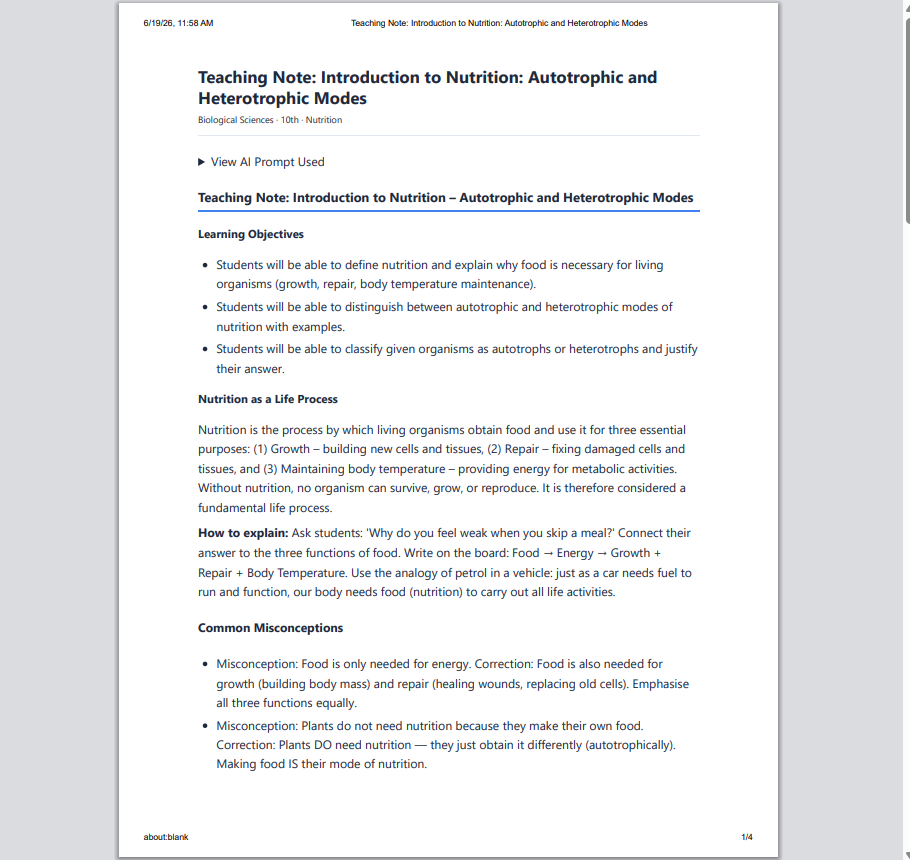
Teaching notes ready to print or save as PDF
4
Teach & share
Show it in class, or download it as PowerPoint or PDF.
Need a change? Just ask in plain English, for example “make it simpler”, “add 5 harder questions” or “use a cricket example”, and TeachSmartAI rewrites it.
What it looks like

One chapter. Everything a teacher needs.

Open any chapter from your textbook. From one screen you can create every type of material for it, one at a time or all at once, all from your own books.
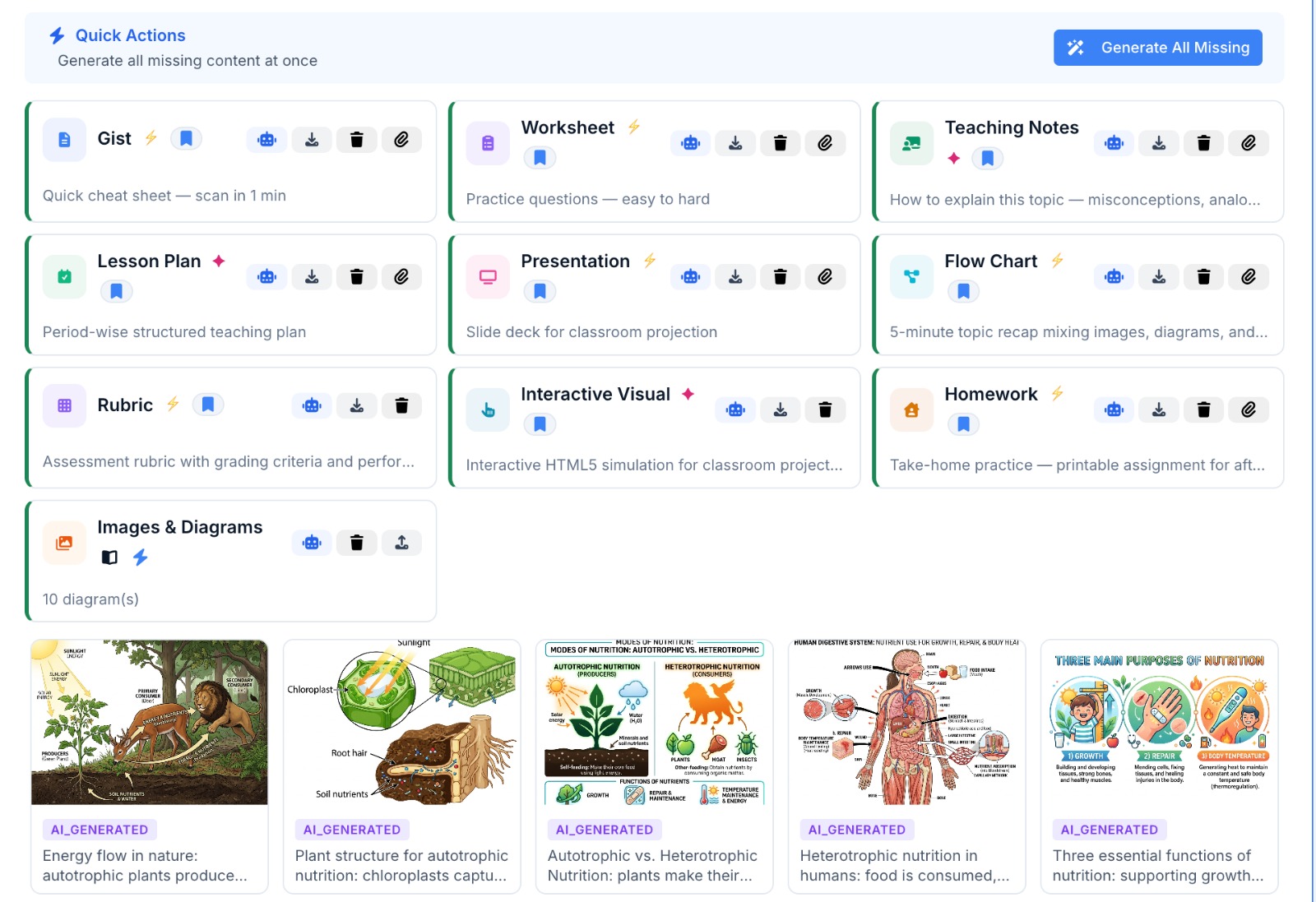
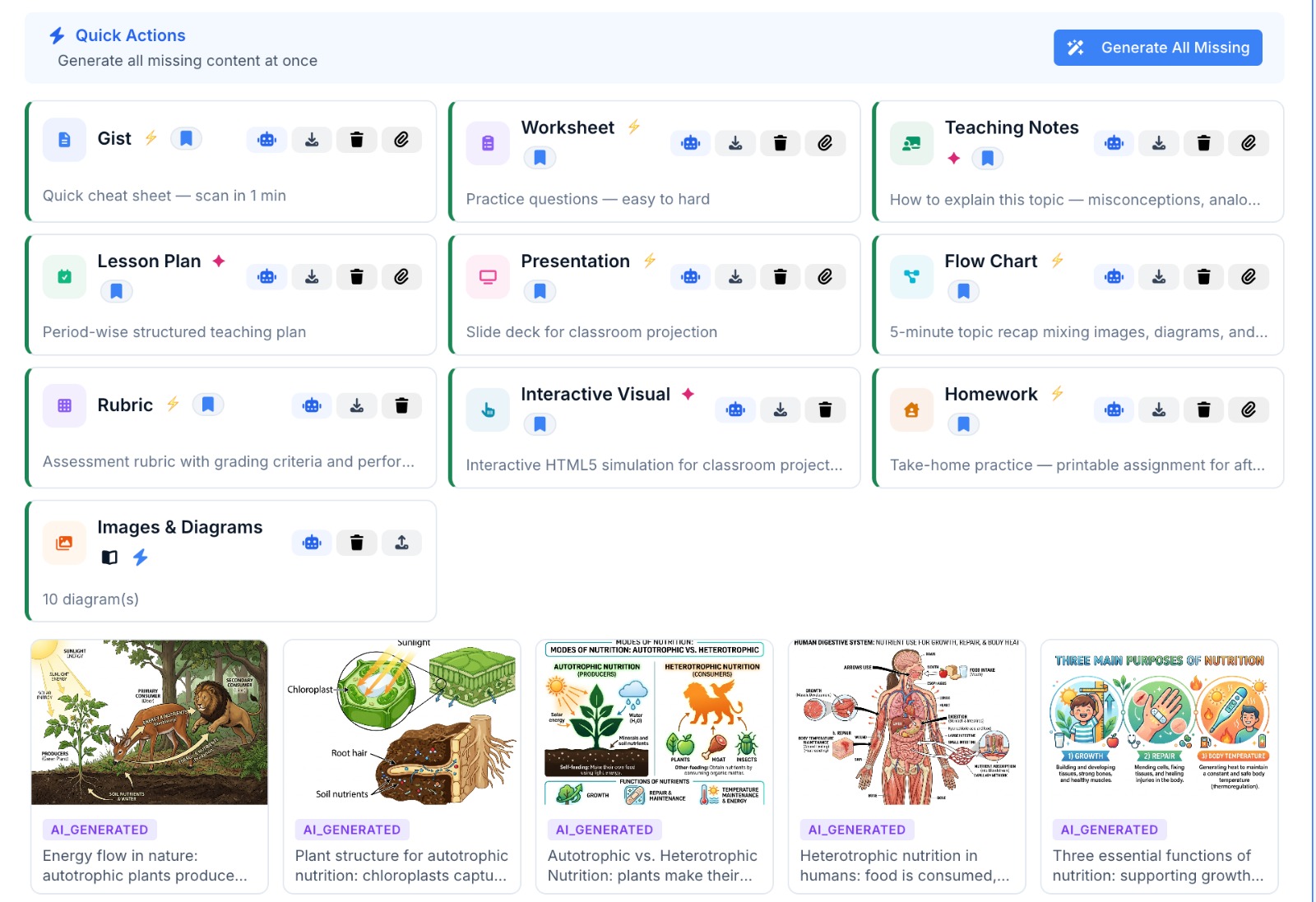
TeachSmartAI chapter screen with summary, worksheet, teaching notes, lesson plan, slides, flow chart, rubric, interactive visual and homework side by side, with diagrams below
A real chapter in TeachSmartAI · Class 10 Biology · Nutrition. Saved material is bookmarked; the rest is one click away.
Why it's different

General AI gives general answers. TeachSmartAI gives your answers.

General AI tools

  • Learn from the internet, not your books
  • Can make up facts and references
  • Same answer regardless of board or class
  • No link to actual student performance
  • Hard to check where an answer came from

TeachSmartAI

  • Works from your textbook, workbook and notes
  • Says so when your book doesn’t cover a question
  • Works in English, Hindi and Telugu, in the book’s own script
  • Linked to exam results from SkoraAI
  • Uses your textbook’s own diagrams first
Frequently asked

The questions teachers and principals ask first.

What is TeachSmartAI?
TeachSmartAI prepares class material from your school’s own textbooks. Teachers pick a chapter and choose from 17 kinds of material, such as lesson plans, worksheets, question papers, slide decks and flashcards. It is made for teachers and schools, and a teacher checks the material before it reaches a class.
What books and materials can I upload?
You upload each textbook chapter as a PDF, scanned or digital. Scanned pages in Telugu and Hindi can be read too. You can add a workbook and notes to the same chapter, and teachers can attach their own worksheets, notes or slides alongside.
Which languages and boards does TeachSmartAI support?
TeachSmartAI works in English, Hindi and Telugu, for any subject that has a textbook. Material is written in the chapter’s own language and script. CBSE schools also get competency-based and case-based questions and CBSE-style student notes. State-board schools use the standard set, and your school can adjust the settings for each subject.
How do teachers stay in control of what TeachSmartAI makes?
Teachers check and edit everything before it reaches a class. TeachSmartAI writes only from your chapter, not from the internet, but it is still AI, so a teacher should read it first. Any piece can be edited directly or changed with a plain-English request, such as “make it simpler”.
How is TeachSmartAI different from general AI tools?
It works from your own books, not the internet. It follows your syllabus, your chapter order and your school’s formats, and it says so when your book does not cover a question. It also works with SkoraAI: weak chapters found in marked exams point teachers to the matching TeachSmartAI material.
How do we get started with TeachSmartAI?
Start by sending us one chapter from your books, and we will show you what TeachSmartAI makes from it, free. After that there is little to learn: teachers pick a chapter, pick what they need and check it. Students do not use TeachSmartAI directly; teachers show the material in class or hand it out.
Does TeachSmartAI work with our school ERP?
Yes, TeachSmartAI is part of the Digiclove Education ERP. Your classes, subjects, syllabus, timetable and teacher logins are already in place, so there is nothing to set up twice. Each teacher’s home screen opens on today’s timetable, with the lesson for each period one tap away.

Give your teachers their evenings back.

Send us one chapter from your books and we will show you what TeachSmartAI makes from it, free.

Book a demo Request a quote