From a scanned paper to a marked report.
SkoraAI turns scanned answer sheets into marks, feedback and a study plan in five steps. It reads your question paper and answer key, reads every student's handwriting and marks each answer against the key. Your teachers check it, and results are ready as soon as they approve them.
Five steps from a scanned sheet to a published report.
Every paper goes through the same five steps. Clear answers go straight through. Anything uncertain waits for a teacher.
Scan
Scan or photograph each answer sheet as one file, on a scanner or copier. A few sheets or a few thousand.
Read
Handwriting is read, including Hindi and Telugu, and every answer is matched to the right question.
Mark
Written answers are checked against the points in your key. Multiple-choice answers are marked exactly. Choices and part marks apply the same way to every student.
Teacher review
Uncertain answers and hard-to-read handwriting are flagged and shown first. A teacher can change a mark in one tap, then approve sheets one at a time or several together.
Publish
Each student’s report, with marks, weak areas and chapters to revise, is ready once teachers approve it. In the parent and student apps: Coming soon
Everything between a scanned paper and a graded report.
Reads the question paper
Upload your question paper and SkoraAI sets out the questions, marks and answer key for you to approve.
Grades every answer sheet
Each student's answers are marked question by question, the same way across the whole class.
Reads handwriting at scale
Scanned answer sheets are read, handwriting included, and each one is matched to the right student.
Links to your syllabus
Feedback is tied back to your own textbooks, so every weak area points to the exact chapter to revise.
Connects teaching content
Results link to related lesson material, so follow-up teaching is close at hand.
Hand it your paper. It does the setup.
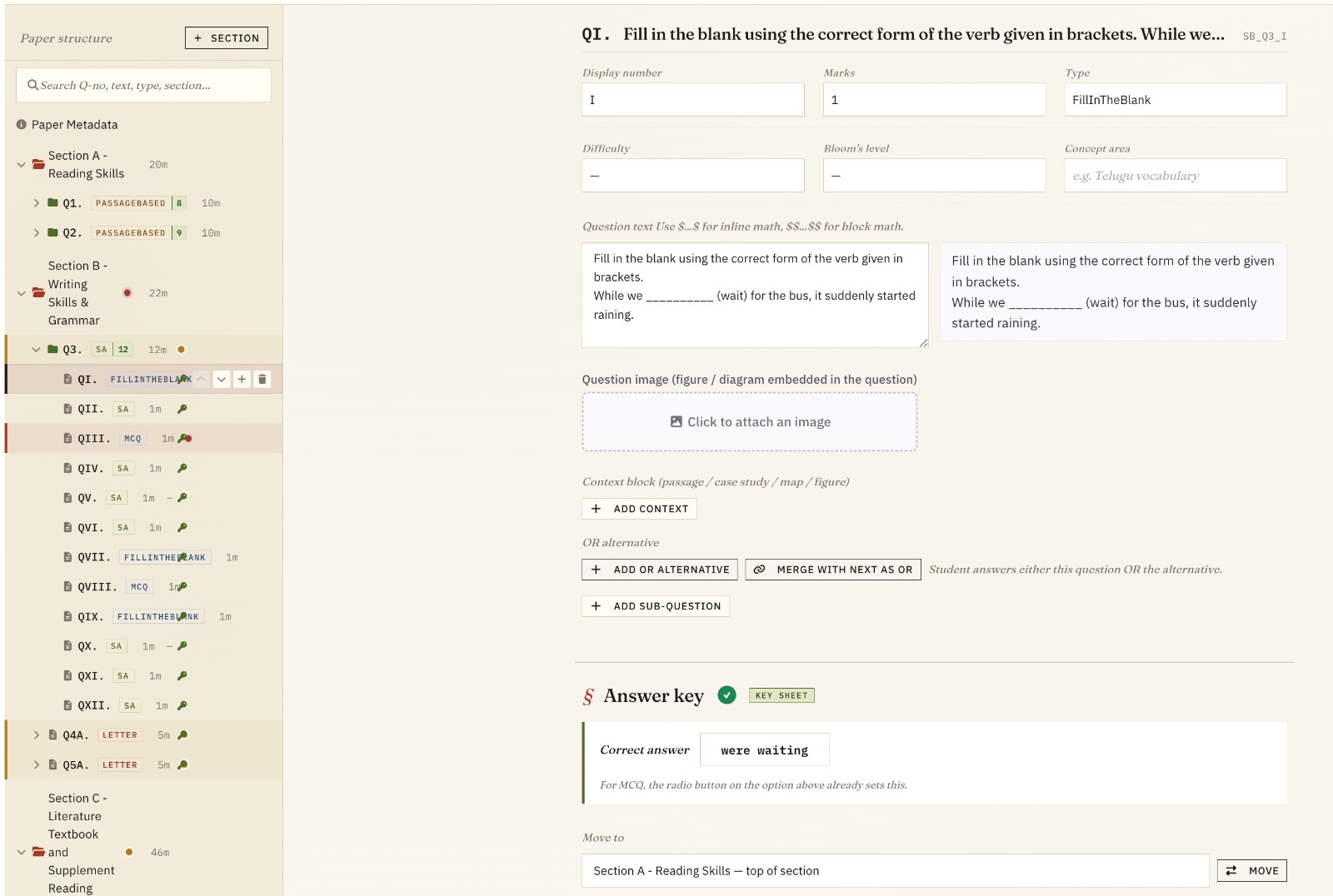
You upload the question paper and the answer key, if you have one. SkoraAI reads every section, question, sub-question, marks split and correct answer. Hours of manual setup become a quick check and approve.
- Reads your layout: sections, choices, sub-questions and marks per question
- Takes the answer key from your key sheet, or from your own textbooks when you don't have one
- Shows where each answer came from, so teachers know what to check closely
- Flags anything it is unsure about for a quick check before marking begins
- Points out questions whose key is too thin to mark fairly
- Set up once per paper. Every section's sheets are marked against the same approved key
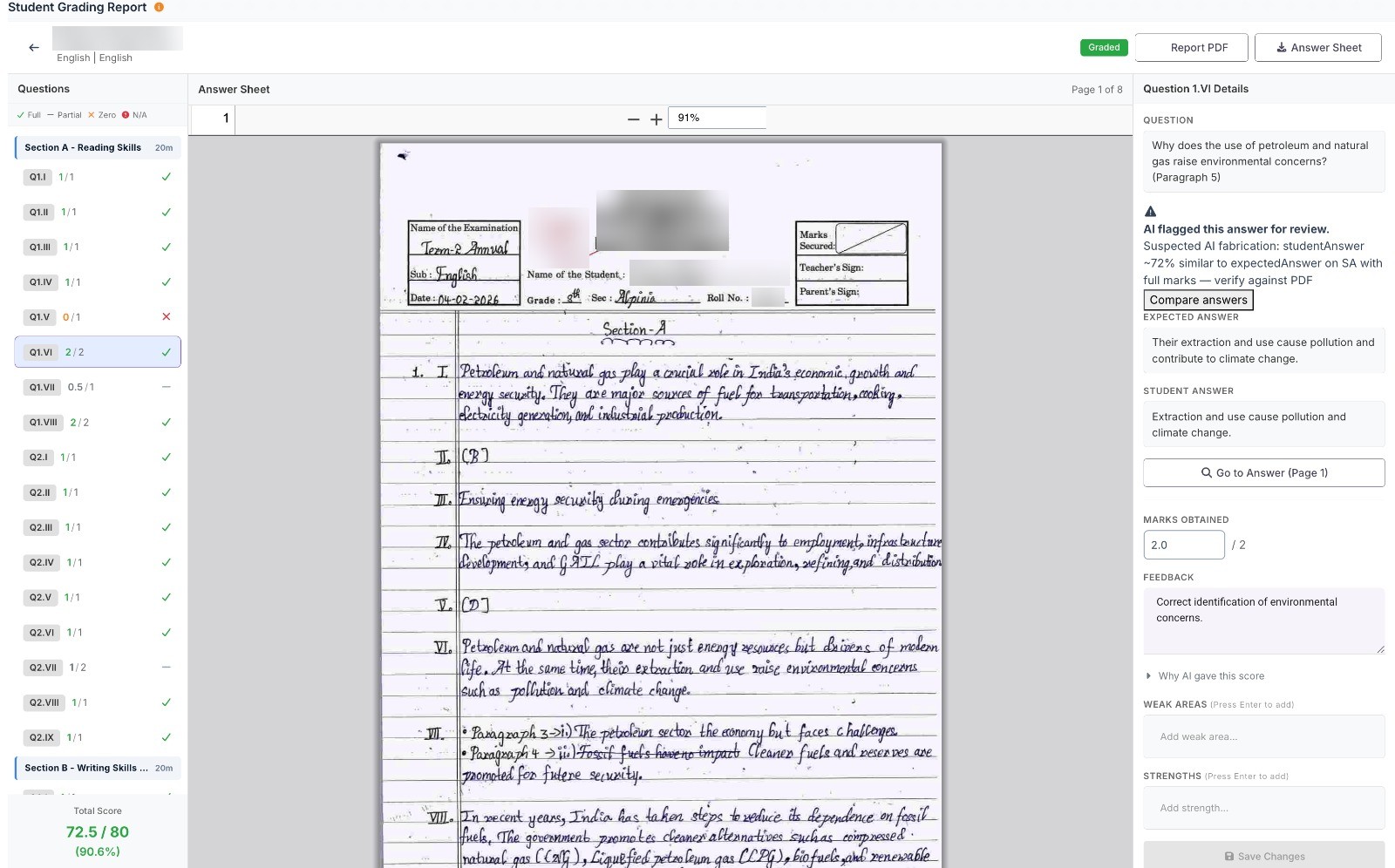
Every answer marked, every mark explained.
Each student's sheet is marked question by question. SkoraAI does not just give a number. It shows which points the student earned, which they missed, and where the answer is on the original sheet.
- Fair and consistent: every answer marked against your key, the same way across the whole class
- Each question's mark is rounded to the nearest half mark and never goes above its maximum
- Choices such as “attempt any 4 of 5” and “either / or” are applied for you
- Teachers click a mark and SkoraAI opens the page where the answer is
- Weak areas become specific revision suggestions tied to your syllabus
- Anything unusual is flagged for a teacher and shown first. Teachers then approve sheets one at a time or several together
Questions teachers ask first.
What happens between upload and a marked report?
What if a student writes a correct answer in a different form?
How are choices like “attempt any 3 of 5” handled?
Try SkoraAI free on your next exam.
Send us one paper from your next term-end exam. SkoraAI marks the same answer sheets your teachers mark, and you compare the results side by side. No cost and no commitment.
- We set up your question paper and answer key
- You scan and upload the answer sheets. We do the rest
- A report for each student, ready as soon as your teachers approve the marks