Stop losing enquiries between forms and follow-ups.
Admissions in Education ERP tracks every family from the first enquiry to admission and the first fee payment. Every follow-up is recorded. Counsellors see who to call today. Principals see how admissions compare with last year.
Funnel
Pre-enquiry
Website / SMS / walk-in
Enquiry
Counsellor assigned
Follow-up
Active calls today
Admission
Offers issued
Enrolled
Added to the school records
Six stages from first enquiry to enrolled student.
Every enquiry moves through the same six stages. Your principal can see the whole picture each morning.
Online form, walk-in, phone call or referral, recorded with where it came from and your own questions.
The family fills in the application for the class or course. The enquiry moves to a counsellor's list.
The counsellor records calls and visits and sets the next follow-up date. Anything late shows as overdue.
Entrance tests are recorded, so you can see how many applicants took one.
Admit straight from the enquiry. The student's details carry over, and the first fee receipt marks the family as paid.
The student now appears everywhere: class, fees, transport, hostel, parent app and progress card.
A daily work list for counsellors.
Every enquiry has an owner, a stage, a next step and a full history. Counsellors open the list and see who to call, instead of searching through spreadsheets.
- Enquiries from online forms, walk-ins, phone calls and referrals, each with its source
- Your own enquiry questions, so you ask what your school needs to know
- The staff member or student who referred the family, so you can see how referrals work
- Outcome, remarks and next follow-up date for each family
- A list of overdue follow-ups, including families never called
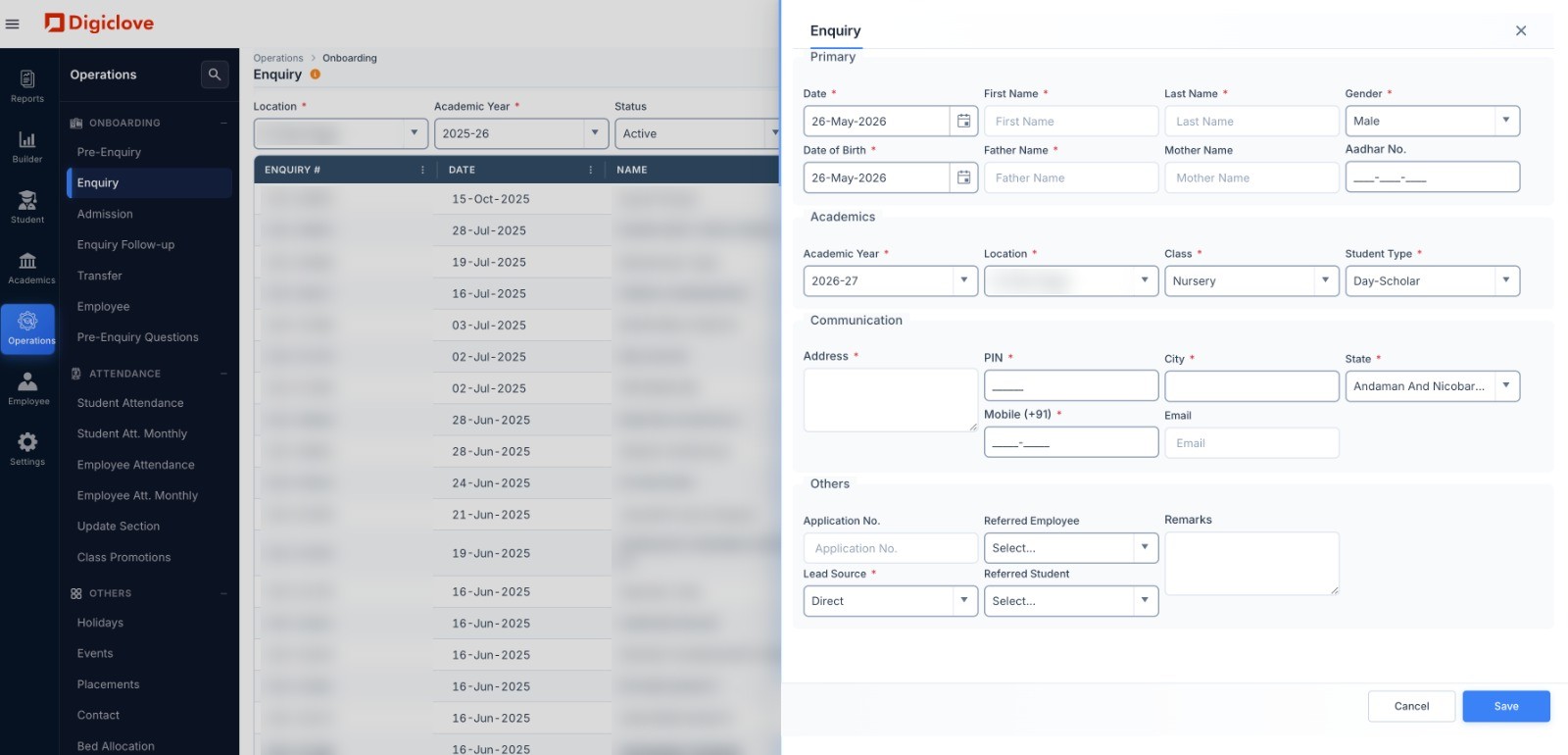
Admit once. One profile from then on.
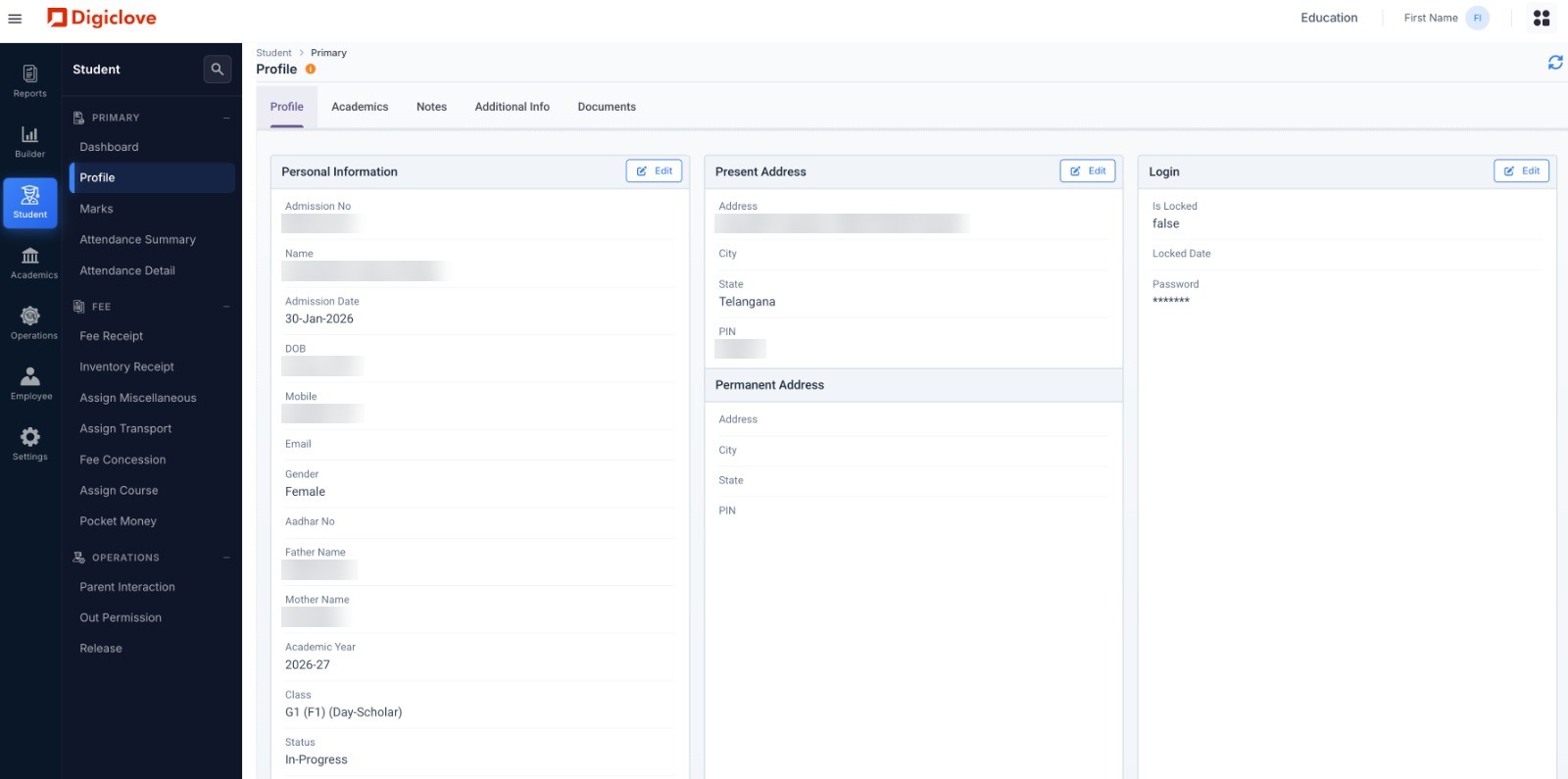
The enquiry becomes the student's profile: personal details, parents, address, class, documents and app login. Every other area uses this same profile.
- Sections for personal details, academics, notes, extra information and documents
- Day scholar, hostel or transport student, with bed and bus route
- Fee receipts, concessions, transport and pocket money from the same student menu
- Upload documents to the student's profile
- Branch transfers and section changes keep the full history, so there is never a duplicate student
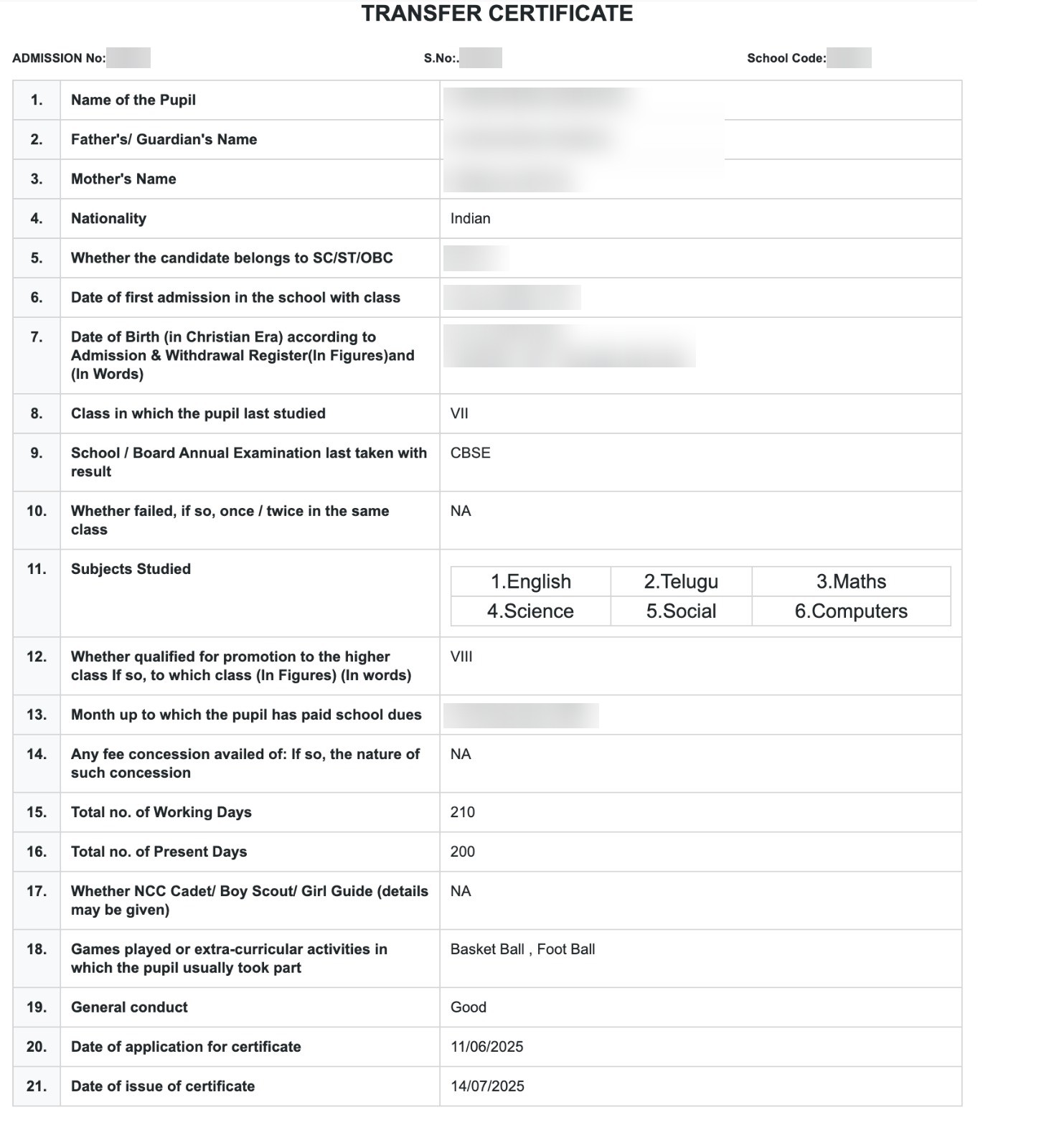
Student certificates, ready to print.
Create student certificates straight from Education ERP. Details are filled in from the student's profile, ready to print or share.
- Merit Certificate: for academic achievement, filled in with marks and rank
- Transfer Certificate: with joining and leaving dates, conduct remarks and the next TC number
- Bonafide Certificate: confirms the student is enrolled, for banks, embassies and government offices
- Study Certificate: for the current year, with class and section
- Pre-filled from the student record, ready to print
Are we ahead of last year? See it every morning.
Other parts of Education ERP.
Questions about admissions.
What does the Admissions module do?
Can we compare this admissions season with last year?
Run your next admissions season on Education ERP.
We set up your stages and forms and train your counsellors. Admissions on its own can be ready in under 2 weeks.