Schedule, mark and publish results without typing anything twice.
Examinations in Education ERP sets up exams, records marks and prints progress cards, with nothing typed twice. Set your exam patterns once. Teachers enter marks, or SkoraAI marks the answer sheets. Progress cards follow NEP holistic areas and do not need to be rebuilt every term.
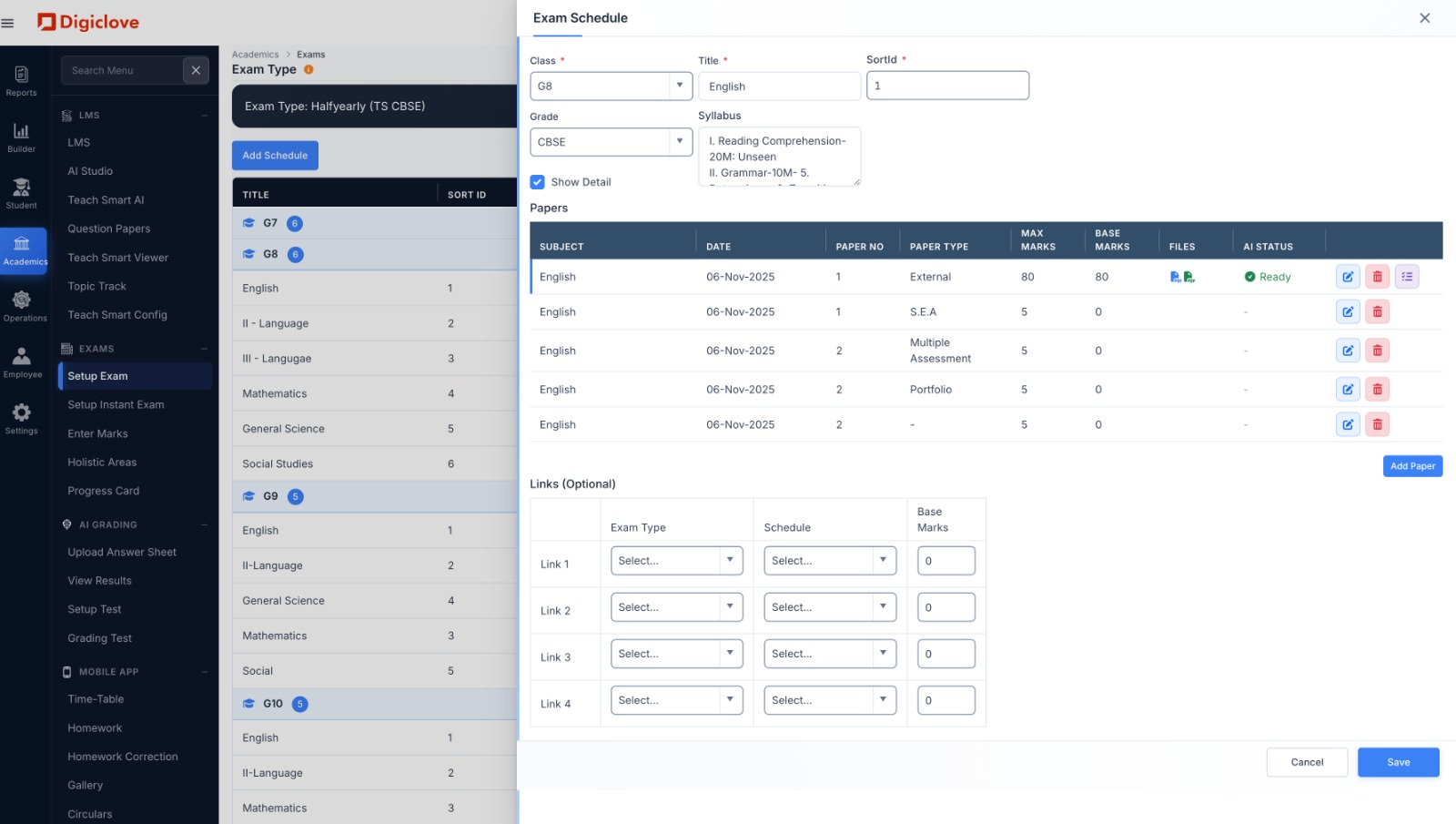
Set up an exam once. Use it every term.
Enter the classes, subjects, papers, dates, maximum marks and syllabus once, and reuse the pattern every term. You can also set a quick online test that students take in the app.
- Formative, half-yearly, annual and your own exam types, with more than one paper per subject
- Combine exams (for example FA and SA) into one result
- Upload each question paper and answer key, ready for SkoraAI to mark
- Quick tests: multiple-choice tests students take in the app, with marks saved for you
- A clear table of who teaches which subject in which section
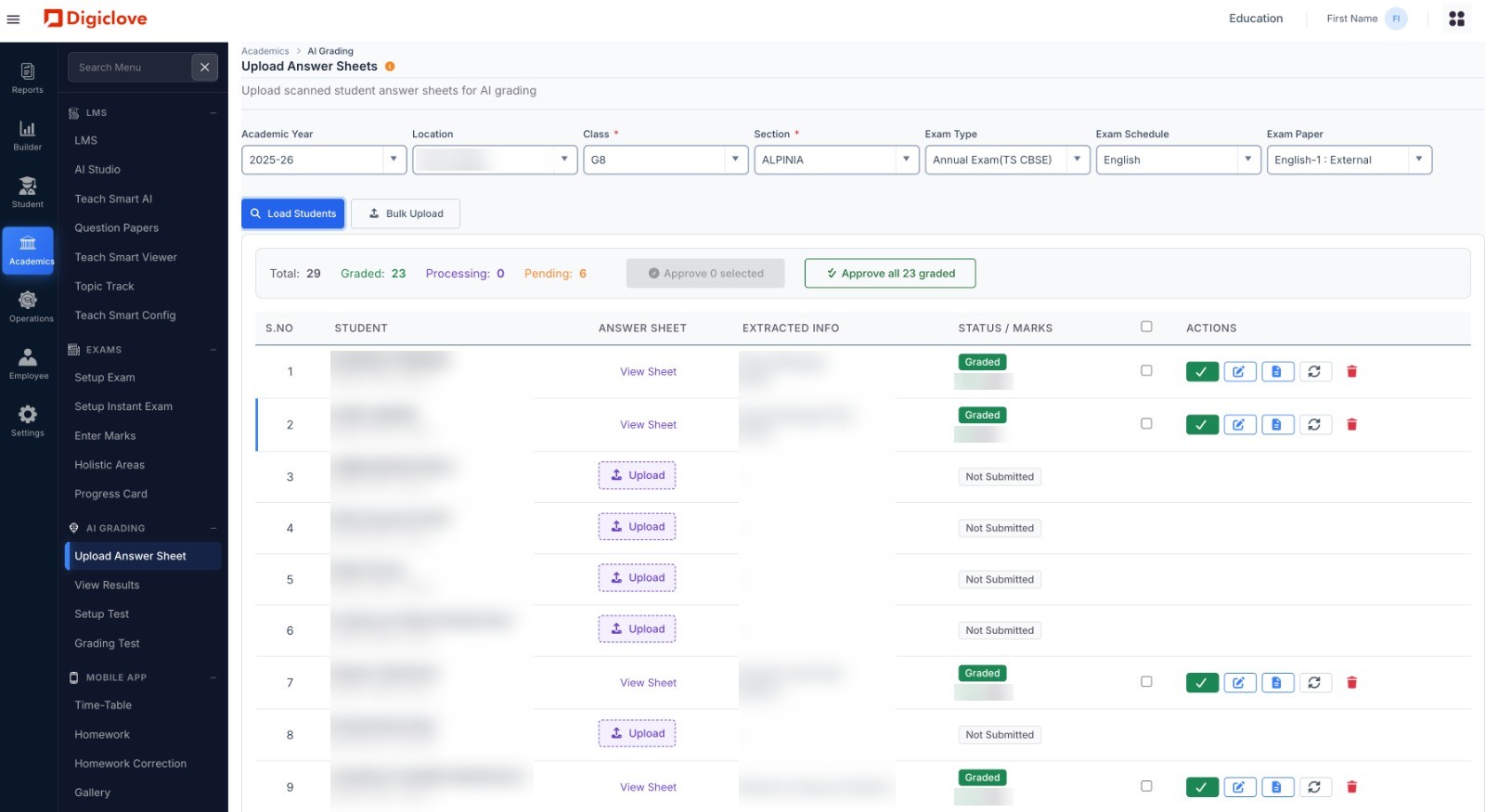
Mark papers the way that suits you.
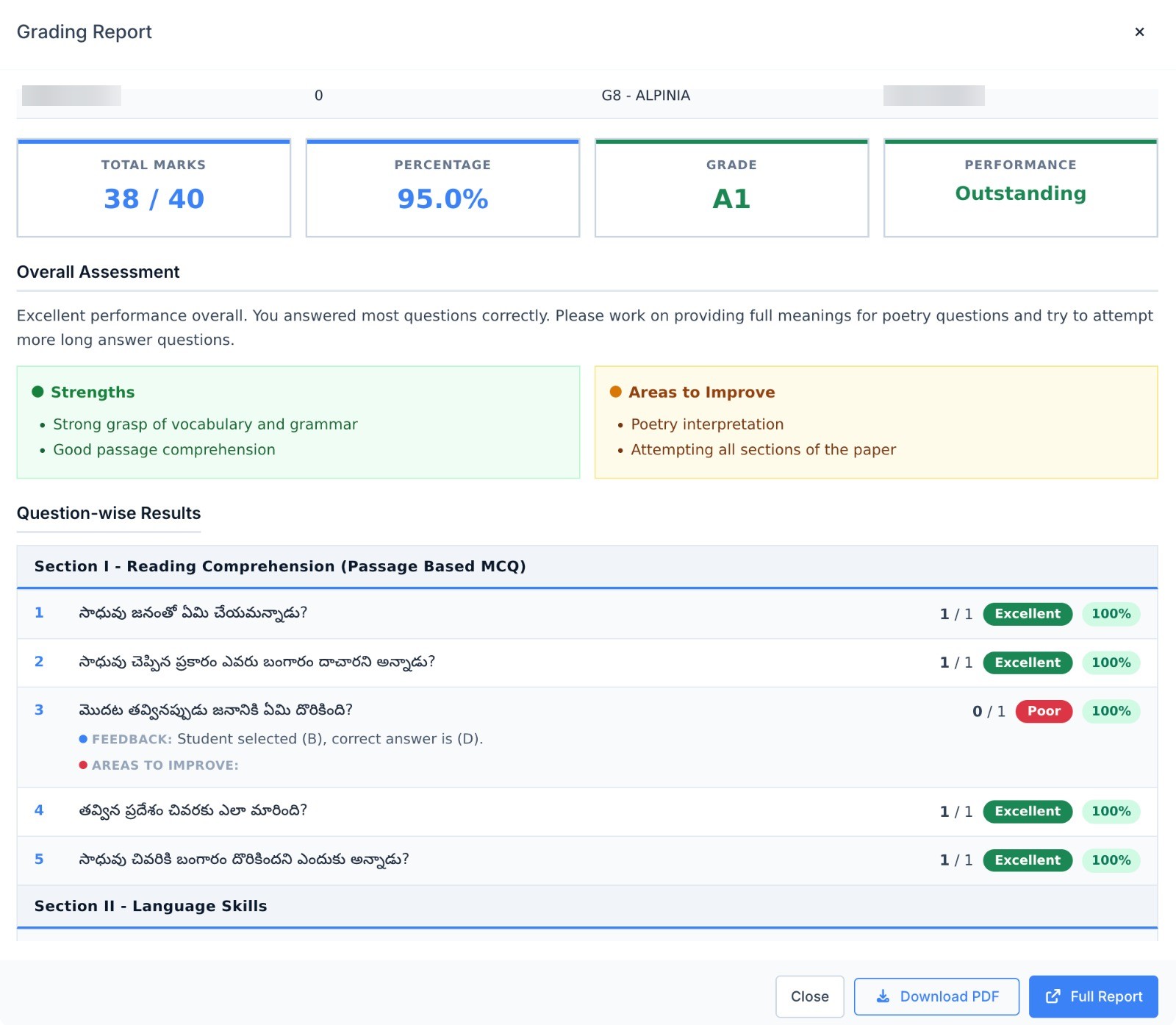
Teachers can enter marks themselves. Or upload scanned answer sheets and SkoraAI marks them against your answer key. Teachers check the answers it points out and approve the marks.
- Fast mark entry in a simple grid, saved in one go
- See which papers are still waiting for marks, by teacher
- Upload scanned answer sheets; SkoraAI marks them and teachers check what it points out
- Marks for each question, checks for mistakes, and a record of who changed what
- Published results reach the student and parent app
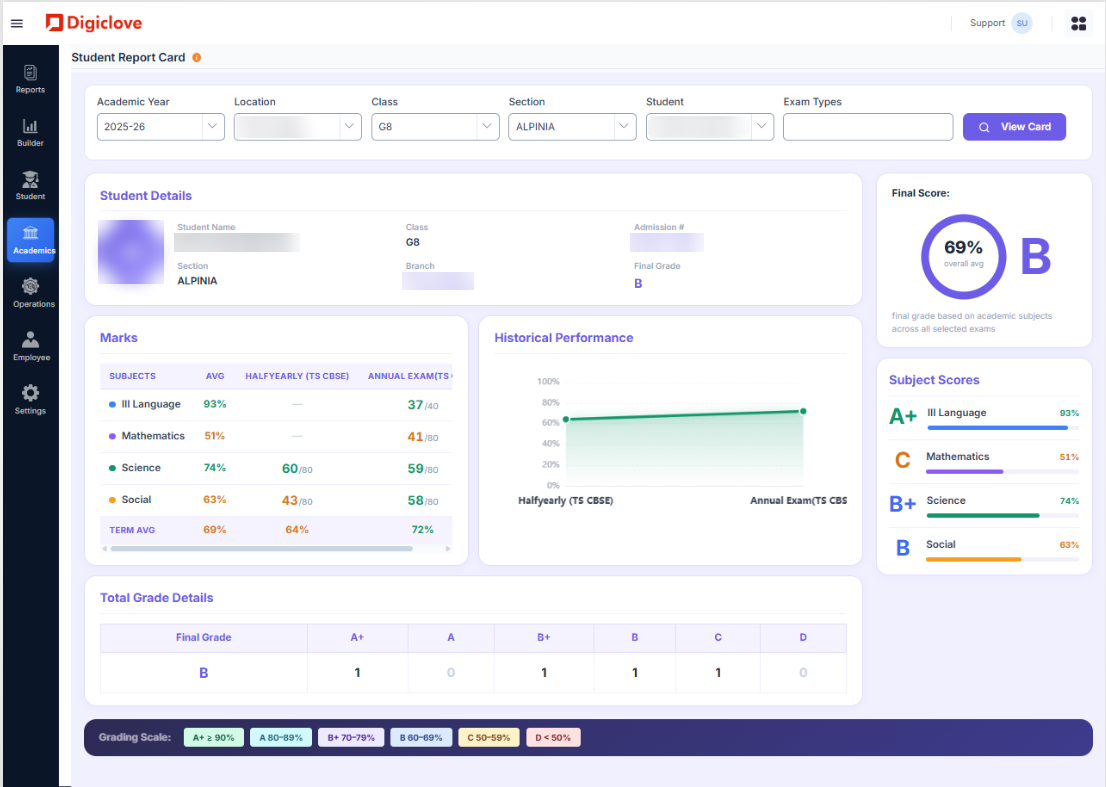
Report cards in your board's format, right the first time.
Holistic assessment, behaviour, co-scholastic areas, attendance and activities appear beside subject marks, on a card laid out the way your board expects. No more formatting cards by hand in Word.
- Holistic areas: your own grading for behaviour, art, sport and life skills
- Progress card set up in your board's format when you start
- Your school's logo, signatures and principal's note
- Print all cards at once, or send them to the parent app
- A holistic and co-curricular report for all classes
From marks to the next teaching decision.
Exam reports built from the same marks, on the exam coordinator's and principal's home pages.
Results at every level
Go from branch to class, section and student. See how hard a paper was for each section that wrote it.
Where each section lost marks
With SkoraAI, see results by chapter for each section and branch, and which chapters to teach again before the next exam.
Students who need a conversation
A list of students whose marks and attendance are both falling, so class teachers know whom to call first.
Questions about exams and progress cards.
Can teachers enter marks themselves, or does SkoraAI mark the papers?
Do progress cards follow NEP holistic areas?
Run your next term-end exams on Education ERP.
We set up your exam patterns, bring in your past mark sheets and set up your board's report card. Free when you start.