The marked paper reaches the people who act on it.
SkoraAI results do not stop at the exam cell. Teachers check and act on them from their phone, students see what to revise, and the parent-teacher meeting starts from the student’s real results.
Marking review and class results on the teacher’s phone.
Teachers do not need to sit at the staff-room computer. The same SkoraAI review and results are in the teacher app, alongside their own leave and payslips.
- Flagged answers shown first, with the scanned page beside the mark
- Change a mark, then approve the sheet
- Chapter analysis for the teacher’s own sections, with the students behind each number
- A full report for every marked student, to share on WhatsApp or by mail
- Student 360: marks by exam, attendance by month, the SkoraAI report, and one-tap call, SMS or WhatsApp to the parent
Each student sees what to revise, not just a mark.
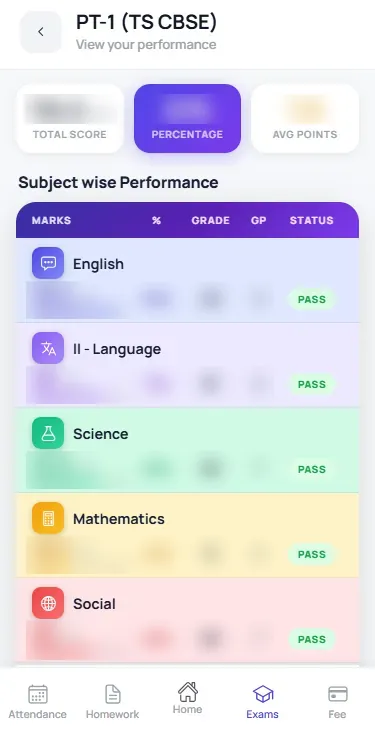
When the school switches it on, every teacher-approved SkoraAI report reaches the student app. Students never see the answer key.
- Where the marks went: left blank, wrong, or partly right
- Scores by section and by chapter, and the trend across exams
- Feedback on every answer, with strengths and areas to improve
- A “Start here” line and a study plan linked to the school’s own lessons
- “How to help this week”, written for parents
- A PDF copy to download and keep
A meeting note drafted from the student’s real results.
Ten minutes per family is not long. The meeting workspace on the computer puts the student’s results on one screen, and SkoraAI drafts a short, plain note that the teacher edits and shares.
- GatherOfficial marks, attendance and the chapters SkoraAI says need work.
- DraftSkoraAI drafts the note in sections. Its numbers are checked against the official marks.
- EditThe teacher edits or redrafts any section and adds their own words.
- ShareThe family reads it in the app, downloads the PDF and marks it as seen.
- Nothing reaches the family until the teacher shares it
- Three or four clear actions for the student and the family
- In English, or bilingual
- A clean A4 copy to print or share on WhatsApp
Questions schools ask about the apps and meetings.
Do students see their SkoraAI marks straight away?
Who writes the parent-teacher meeting note?
How does the family get the meeting note?
Which phones do the apps run on?
See the report your parents would receive.
Send one term-end paper. We will mark it free and show you the student report and the class’s weak chapters, with no commitment.