"Copy checking" is what every Indian teacher calls the pile of answer sheets that arrives after each exam. AI copy checking, also called AI answer sheet checking or AI paper correction, means the first pass of that marking is done by software, against your school's own answer key, and teachers check what it is unsure about. Here is how it works with SkoraAI, step by step.
Step 1: Set up the paper once
Upload the question paper and the answer key. SkoraAI reads every section, question, sub-question and marks split, and lays out the answer key for a teacher to check and approve. Choices such as "attempt any four of five" and "either / or" are read at this stage too. If a key is too thin to mark fairly, SkoraAI points it out before a single sheet is marked.
The paper is set up once. Every section's sheets are then marked against the same approved key.
Step 2: Scan and upload the sheets
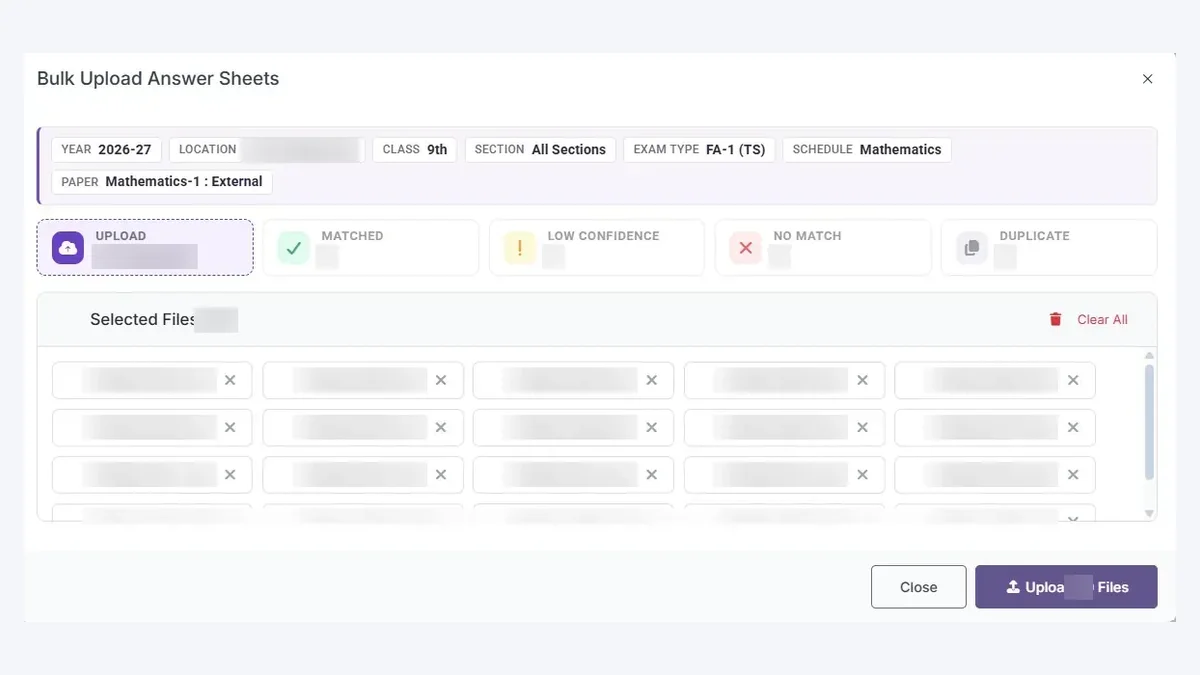
Scan each student's answer sheet as one file on an ordinary scanner or copier, then upload the class on the web. Each sheet is matched to its student, and a teacher confirms any match SkoraAI is unsure of.
Step 3: Every answer is read and marked
SkoraAI reads the handwriting, in English, Hindi or Telugu, and matches every answer to its question. Then:
- Multiple-choice answers are marked straight from the key. One-word and fill-in-the-blank answers are checked against the answers your key accepts.
- Written answers are checked against the points in your key, by concept, not by matching words, so a correct answer in the student's own words still earns its marks. How concept-oriented marking works.
- Choices are applied for you. If a student attempts extra questions, their best answers under each choice are counted, or the first ones attempted, if your school prefers.
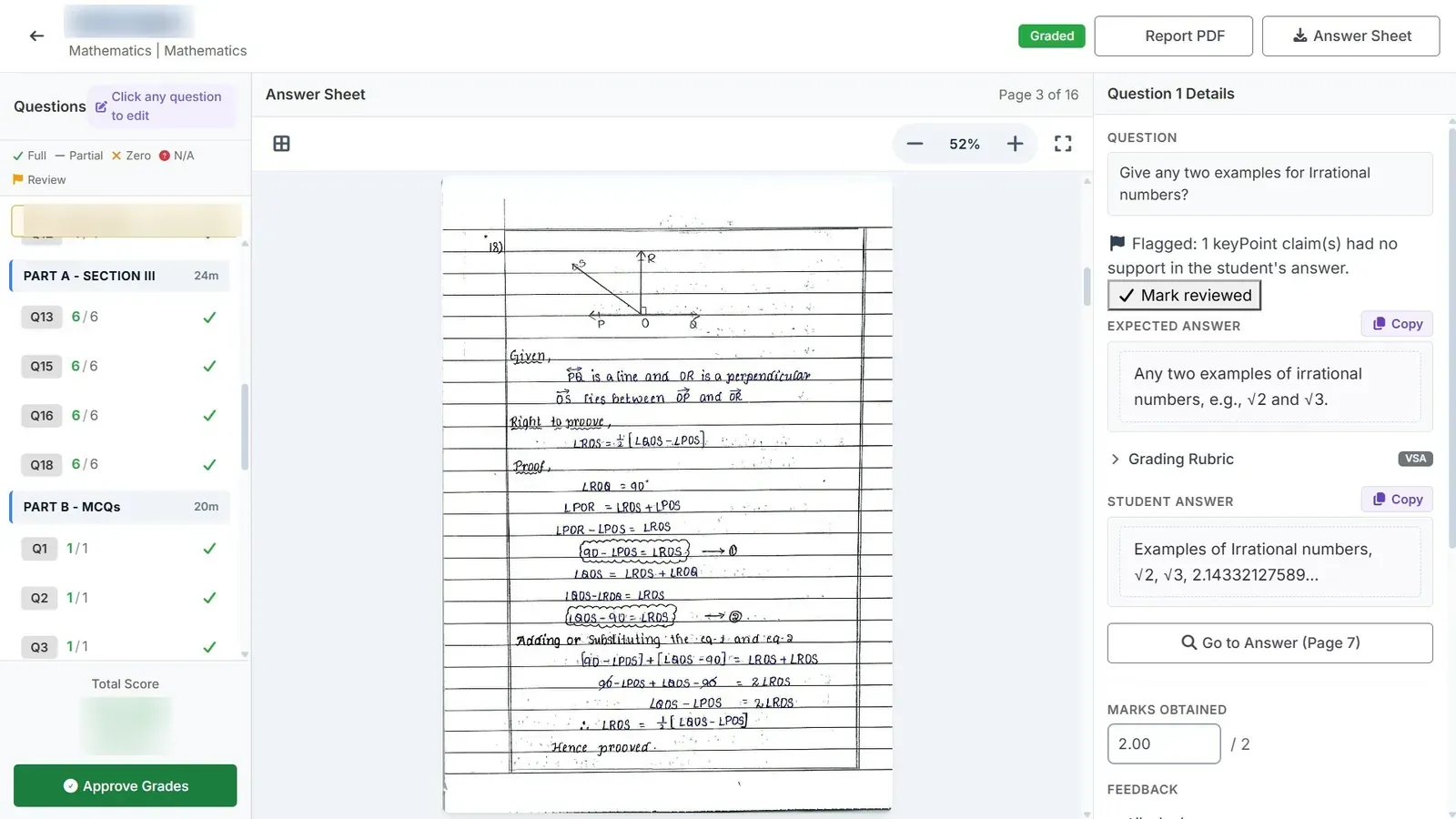
- Every mark comes with its reason: which points the student earned, which they missed, and where the answer is on the sheet.
Step 4: Teachers check the flags, not every sheet
Answers SkoraAI is unsure about, and handwriting it cannot read clearly, are flagged with the reason and shown first. A teacher can change any mark, and SkoraAI's original mark stays on record next to the change. Teachers then approve sheets one at a time or several together. See teacher review.
Step 5: Results reach the people who act on them
Once approved, each student gets a report with marks for every question, feedback and the chapters to revise, in the student app. Principals see weak chapters by class and section, and teachers get a short note to edit for the parent-teacher meeting. See the reports.
What AI copy checking is not
It is not a tool that guesses marks from a photo, and it does not decide on its own what a correct answer is. Your answer key decides that, and your teachers have the final word. It is also different from on-screen marking, where an examiner still marks every answer on a computer. On-screen marking vs AI checking.
Try it on one paper. Send us one term-end paper your teachers have already marked. We mark it free and show you SkoraAI's marks next to your teachers', question by question. Send a paper →
Send us a term-end paper. We will mark it free.
No commitment. We mark it with SkoraAI and email you the marked sheet, with the reason for every mark, the weak areas, and our price for a pilot. Your teachers check every answer SkoraAI flags and can change any mark.